


Key Takeaways
- DMARC reports provide critical insights into email authentication, helping organizations detect and prevent phishing, spoofing, and unauthorized use of their domain.
- There are two main types of DMARC reports: Aggregate reports, which offer a summary of email authentication results, and Forensic reports, which give detailed info on individual failed emails.
- Reading raw DMARC reports can be complex due to their XML format, but tools like PowerDMARC simplify this by converting data into easy-to-understand charts and summaries.
- Enabling DMARC reporting involves publishing a DNS TXT record with the right tags, allowing domain owners to receive and act on reports that strengthen their email security and protect their brand.
Phishing is behind 90% of cyberattacks, making it critical for organizations to understand how to read DMARC reports to safeguard their data and reputation.
DMARC (Domain-based Message Authentication, Reporting, and Conformance) reports provide detailed insights into how your emails are authenticated, helping you maintain a close eye on your email security. By confirming that emails truly come from trusted sources, DMARC plays a key role in blocking phishing and spoofing attempts that could damage your brand and put your customers at risk.
This blog will walk you through how to read DMARC reports and explain how using the right tools can make this process easier, helping you protect your domain and strengthen your email security with confidence.
What Is a DMARC Report?
DMARC is an email authentication protocol that helps prevent spammers from using your domain to send fake emails. DMARC reports are diagnostic reports generated by receiving mail servers, detailing authentication results for emails sent from a DMARC-enabled domain. The reports aim to provide valuable insights into your email behavior, mail flows, and SPF/DKIM authentication results, as well as other relevant details.
These reports are based on two key technologies:
- SPF (Sender Policy Framework) verifies if an email is sent from an authorized server.
- DKIM (DomainKeys Identified Mail) checks if the email’s content has been altered in transit.
Together, these checks show whether your emails are genuine or potentially fraudulent.
Types of DMARC reports
There are two main types of DMARC reports you might receive:
1. Aggregate reports – RUA
DMARC Aggregate reports provide an overview of the DMARC analytics and activity for a domain. They include:
- Information pertaining to the number of messages that passed or failed DMARC authentication
- The IP addresses of the sending mail servers
- The authentication statuses of the mechanisms used to verify the email message
This information helps you gain awareness of spammers and unauthorized third-party services wrongly using your domain name.
To make interpreting these reports even easier, PowerDMARC Aggregate report views are more readable and understandable, as they are simplified and organized into charts and tables with advanced viewing and filtering options. To enable our human-readable aggregate reports, contact us today!
2. Forensic reports – RUF
DMARC forensic reports, also known as failure reports, provide detailed information about individual email messages that failed DMARC authentication. In some cases, Forensic DMARC reports may include:
- The entire email message
- The authentication status
- The reason for the failure of the unauthorized message
Failure reports in DMARC are particularly useful when investigating specific forensic incidents, such as potential email fraud, domain name abuse, and impersonation.
Failure reports may sometimes contain sensitive information, raising privacy concerns if an attacker gains access to them. This has led PowerDMARC to facilitate PGP encryption on these reports, ensuring that only you have access to their contents.
How to Read DMARC Reports
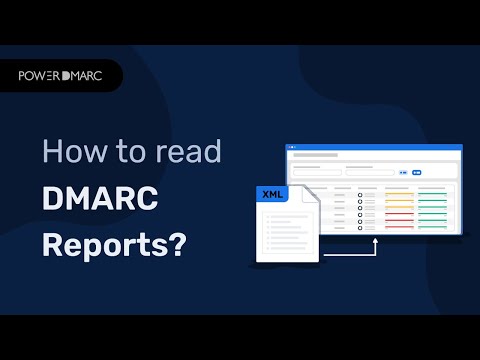
DMARC reports usually come in an XML file format attached to emails with subjects like “DMARC Report.” While these raw reports are not easy to read directly, understanding their structure helps you get the most from the data.
You may find resources like PowerDMARC’s knowledge base helpful for learning how to set up and interpret your reports.
Understand the DMARC XML format
A typical DMARC XML report includes:
- Source IP: The IP address of the sending server
- Policy evaluated: The action taken based on your DMARC policy
- SPF and DKIM results: Whether each check passed or failed
- Domain details: The domain names involved in sending and authentication
Decode the key elements in a raw report
Focus on these fields when reviewing a report:
- source_ip: Where the email originated
- policy_evaluated: What your DMARC policy decided (e.g., none, quarantine, reject)
- spf and dkim: Results showing pass or fail. A pass means the email met the authentication standards, while a fail indicates issues that could point to spoofing or misconfiguration
Identify issues from the data (SPF, DKIM, Alignment)
Look out for:
- Failures in SPF or DKIM checks
- Alignment problems where the sending domain doesn’t match the authenticated domain
- Suspicious sending IPs that don’t belong to your known mail sources
These flags could signal attempts to impersonate your domain.
Simplify DMARC Reporting with PowerDMARC!
Common Issues Found in DMARC Reports
DMARC aggregate reports often reveal problems that affect authentication, domain security, and email deliverability. These are the issues you’re most likely to encounter and what they mean.
- Failing SPF or DKIM alignment: This happens when emails pass SPF or DKIM, but the domains used do not align with the domain in the “From” header. Misalignment causes DMARC to fail even if the underlying authentication checks succeed. You’ll need to adjust SPF records, DKIM selectors, or sending service settings to restore proper alignment.
- Unauthorized sending sources: DMARC reports may show servers sending emails on your behalf without permission. These could be old systems, misconfigured third-party services, or malicious actors. Identifying and removing unauthorized senders is crucial to protecting your domain from spoofing.
- Misconfigured email services (marketing platforms, CRMs, ticketing tools, etc.): Often, legitimate services fail authentication simply because SPF or DKIM wasn’t set up correctly. Marketing tools, CRM systems, newsletter platforms, and helpdesk tools must be added to your SPF record or configured with their DKIM keys to pass DMARC consistently.
- High failure rates and what they indicate: A large percentage of failed emails in your DMARC reports signals significant issues; this could point to impersonation attempts, misalignment, or important senders that aren’t authenticated. High failure rates require immediate attention to prevent deliverability loss and potential abuse of your domain.
Best Practices for Managing DMARC Reports
To get the most value from your DMARC data and keep your authentication setup running smoothly, follow these recommended practices:
Automate parsing with tools
DMARC aggregate reports arrive in XML format, which can be difficult to read manually. Using a DMARC analysis tool automates parsing, converts reports into dashboards or summaries, and helps you spot alignment failures, unauthorized senders, or patterns you might’ve missed.
Review reports weekly or monthly
Consistent review ensures you catch new issues early. Weekly reviews work well for high-volume domains, while monthly checks are enough for smaller environments. Regular monitoring makes sure all your sending sources stay authenticated and aligned as your setup evolves.
Keep track of IP sources and third-party senders
DMARC reports reveal every server that’s sending mail on your behalf, even the ones you might’ve forgotten were connected. Tracking these IPs helps you sort out which senders are legitimate and which need to be removed, authenticated, or looked into a little more closely. This becomes especially important when you’re using several tools at once, like marketing platforms, CRMs, or ticketing systems, all firing off emails under your domain.
Maintain alignment across all sending services
Every service you use has to pass SPF or DKIM and align with your domain; otherwise, DMARC will fail even when everything else looks fine. It’s easy to overlook a platform or two (especially older integrations), so it’s worth double-checking that each one is configured with the right SPF include statements or DKIM keys. When every sender lines up correctly, the whole authentication chain becomes much more stable. This keeps failure rates low and protects your domain from abuse.
Conclusion
Understanding DMARC reports is key to protecting your email domain from spoofing and phishing attacks. Using automated tools makes reading these reports much easier, helping you spot issues quickly and take action.
Regularly monitoring your DMARC data ensures your email authentication remains strong and your brand’s reputation stays safe. Tools like PowerDMARC’s DMARC Report Reader simplify this process by turning complex data into clear, actionable insights. Ready to simplify your email security?
Try PowerDMARC’s DMARC Report Reader today and get clear, easy-to-understand insights that help protect your domain from phishing and spoofing. Sign up today to get your free DMARC analyzer!
Frequently Asked Questions (FAQs)
How do DMARC reports help improve email security?
They show you which emails pass or fail authentication, helping you detect and stop spoofing or phishing attempts.
How often are DMARC reports generated?
On the PowerDMARC platform, DMARC reports are generated and organized daily, weekly, or monthly, depending on the domain owner’s preference.
How do I improve my DMARC score?
You can improve your DMARC score by fixing authentication issues, aligning your SPF and DKIM, and gradually enforcing stricter DMARC policies.
What actions can I take based on DMARC reports?
You can identify unauthorized senders, adjust your email settings, and block fraudulent emails.
What does it mean when I get a DMARC report?
It means a receiver is sharing details about how your emails are authenticated and if any failed checks occurred.
Where to send DMARC reports?
DMARC reports can be sent to the email address specified in the rua tag of your DMARC record.
You have two options for this:
- A dedicated mailbox you create (e.g., dmarc@yourdomain.com).
- A third-party DMARC analysis service. This is the recommended option, as they process the complex XML reports into user-friendly dashboards.
Who sends DMARC reports?
DMARC reports are sent by receiving mail servers and mailbox providers.


- Email Phishing and DMARC Statistics: 2025 Security Trends - January 5, 2026
- SPF Permerror: What It Means and How to Fix It - December 24, 2025
- What Is DMARC? How It Works, Policies & Configuration Tips - November 28, 2025