


Key Takeaways
- Poor sender reputation is one of the main reasons emails land in spam; monitoring key metrics and maintaining clean lists is essential.
- Missing authentication protocols (SPF, DKIM, DMARC) can cause mailbox providers to reject or flag your emails.
- Overuse of spam trigger words, ALL CAPS text, excessive punctuation, too many images with little text, suspicious links, and poor HTML coding can activate spam filters.
Email deliverability measures how successfully your emails reach recipients’ inboxes rather than being filtered into spam folders or blocked. For businesses relying on email marketing, transactional messages, or customer outreach, deliverability directly impacts revenue, engagement, and brand reputation.
Despite preparing compelling content and building substantial email lists, many organizations struggle with low inbox placement rates, leading to lost opportunities and resources, as well as potential damage to sender reputation.
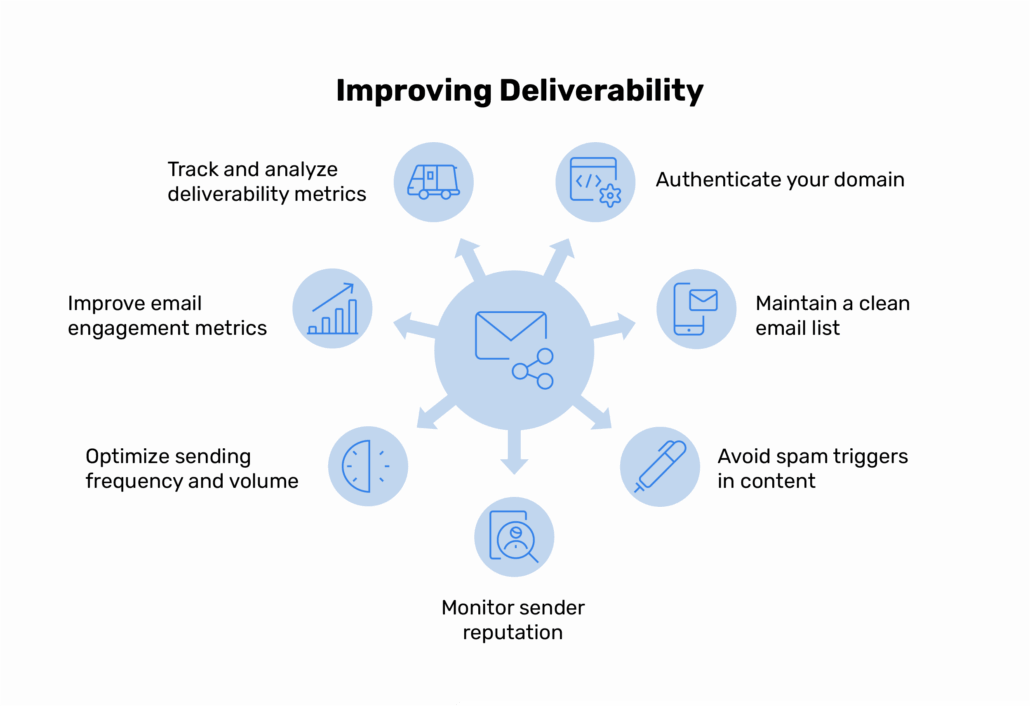
Improving email deliverability requires a strategic combination of technical authentication, list management, content optimization, and continuous monitoring. This guide walks you through seven actionable steps to strengthen your email infrastructure and maximize inbox placement.
How to Improve Email Deliverability
Deliverability improvement requires a balanced approach across technical setup, sender reputation management, and audience engagement. Each step builds on the previous one to create a strong email ecosystem that inbox providers trust.

Step 1 – Authenticate your domain
Authentication verifies you as a legitimate sender and protects your domain from being spoofed by cybercriminals. Without proper authentication, inbox providers have no way to confirm that emails claiming to be from your domain actually originated from you.
Three core protocols work together to authenticate your emails:
- SPF (Sender Policy Framework): SPF confirms which mail servers are allowed to send emails on behalf of your domain. It prevents unauthorized senders from using your domain name.
- DKIM (DomainKeys Identified Mail): DKIM adds a cryptographic signature to your email headers, proving the message hasn’t been tampered with during transmission.
- DMARC (Domain-based Message Authentication, Reporting & Conformance): DMARC aligns SPF and DKIM results and tells receiving servers what to do with emails that fail authentication checks. It also provides valuable reporting on authentication activity.
Verify that all three authentication records are correctly configured in your DNS settings. Use online validation tools to test SPF, DKIM, and DMARC alignment before sending high-volume campaigns. Proper authentication immediately improves your trust signals with major inbox providers like Gmail, Outlook, and Yahoo.
Step 2 – Maintain a clean email list
High bounce rates, spam complaints, and low engagement signal to inbox providers that you’re not maintaining healthy sending practices.
Perform regular list cleaning to remove:
- Hard bounces from non-existent email addresses
- Unsubscribed users who no longer want your emails
- Inactive subscribers who haven’t engaged in 6-12 months
- Spam traps and role-based addresses (info@, admin@, noreply@)
- Duplicate entries and invalid email formats
Implement double opt-in confirmation to prevent fake or mistyped addresses from entering your list. This extra verification step ensures subscribers genuinely want your emails and reduces the risk of spam complaints.
Set up automated suppression lists that immediately remove hard bounces and unsubscribes from future campaigns. This protects your sender reputation by preventing repeated delivery failures to the same problematic addresses.
Step 3 – Avoid spam triggers in content
The content of your emails influences deliverability through spam filter scoring systems. Modern inbox providers analyze subject lines, message body, links, and formatting to determine whether your email deserves inbox placement.
Follow these content best practices:
- Avoid spam-like language, including excessive punctuation (!!!), all caps subject lines, and misleading claims like “100% free” or “guaranteed results.”
- Maintain a balanced text-to-image ratio. Emails consisting only of images often trigger spam filters.
- Limit the number of links to 3-5 relevant, legitimate URLs. Avoid link shorteners that mask destinations.
- Ensure your HTML code is clean and mobile-responsive. Broken code can flag your message as suspicious.
- Include a clear and easy-to-spot unsubscribe link in every marketing email to comply with regulations and reduce spam complaints.
Test each campaign through spam-checking tools before sending to identify potential issues. Maintain consistency in your sender name, from address, and email design to build recognition and trust with your audience.
Step 4 – Monitor sender reputation
Sender reputation represents a score assigned by internet service providers based on your historical email behavior. A poor reputation increases the likelihood that your emails will be filtered into spam folders or even get blocked.
Your reputation is influenced by bounce rates, spam complaint rates, email volume patterns, and engagement metrics. Even one poorly executed campaign can damage a reputation that took months to build.
Take these steps to monitor and protect your sender reputation:
- Check your domain and IP reputation regularly using tools like Google Postmaster Tools, Microsoft SNDS, Sender Score, and Talos Intelligence.
- Monitor key metrics, including bounce rate (keep below 2%), complaint rate (keep below 0.1%), and engagement trends.
- Consider using dedicated IP addresses for high-volume sending or transactional emails to separate different types of traffic.
- Respond immediately to reputation warnings or spam complaints by investigating the cause and adjusting your practices.
If your reputation has been damaged, focus on sending only to your most engaged subscribers while you rebuild trust. Quality engagement from a smaller list beats sending to uninterested recipients who mark your emails as spam.
Step 5 – Optimize sending frequency and volume
Inconsistent sending patterns or sudden volume changes raise red flags with inbox providers. Establishing predictable, sustainable sending practices demonstrates that you’re a legitimate, professional sender.
Follow these volume management guidelines:
- Warm up new domains or IP addresses gradually. Start with your most engaged subscribers and slowly increase volume over 2-4 weeks.
- Establish a consistent sending pattern for newsletters and campaigns. Whether you send daily, weekly, or monthly, maintain that schedule.
- Segment your audience to adjust frequency based on engagement level. Send more often to active subscribers and less frequently to those showing lower interest.
- Schedule sends during optimal times based on your analytics. Test different send times to identify when your audience is most likely to engage.
- Avoid batch sending to large, unsegmented lists. Spread your sends over several hours to appear more natural to spam filters.
Step 6 – Improve email engagement metrics
Engagement signals like opens, clicks, and replies tell inbox providers that recipients value your emails. High engagement improves deliverability, while a consistent lack of engagement can hurt it.
Boost engagement with these strategies:
- Personalize subject lines and content based on subscriber interests, behavior, and demographics. Generic mass emails generate lower engagement.
- Use segmentation to send targeted messages that match specific audience needs.
- Test subject lines, preview text, and calls-to-action through A/B testing to identify what resonates with your audience.
- Send at optimal times, depending on the recipient’s time zone and past engagement patterns.
- Remove consistently unengaged subscribers after 6-12 months of inactivity. They dilute your engagement metrics and hurt deliverability.
- Enable reply tracking to capture positive interactions. Direct replies signal to inbox providers that your emails create valuable conversations.
Inbox providers prioritize engagement over volume. Smaller lists with high engagement outperform larger lists with poor interaction rates.
Step 7 – Track and analyze deliverability metrics
Ongoing monitoring ensures you detect and address deliverability issues before they impact your campaigns. Waiting for obvious problems means you’ve already lost opportunities and damaged your reputation.
Track these critical metrics:
- Inbox placement rate: The percentage of emails landing in primary inboxes versus spam folders. Aim for 95% or higher.
- Bounce rate: Distinguish between hard bounces (permanent failures) and soft bounces (temporary issues). Keep total bounce rate below 2%.
- Open rate and click-through rate: While affected by tracking limitations, these metrics still indicate engagement trends and content effectiveness.
- Spam complaint rate: The percentage of recipients marking your emails as spam. Keep this below 0.1% to protect your reputation.
- Authentication success rate: Monitor SPF, DKIM, and DMARC pass rates to ensure your authentication remains properly configured.
Conduct monthly or campaign-based performance reviews to identify trends. Compare metrics across different segments, send times, and content types to understand what drives success.
Adjust your frequency, segmentation, and content strategy based on data insights. Deliverability optimization requires regular refinement.
Common Mistakes to Avoid
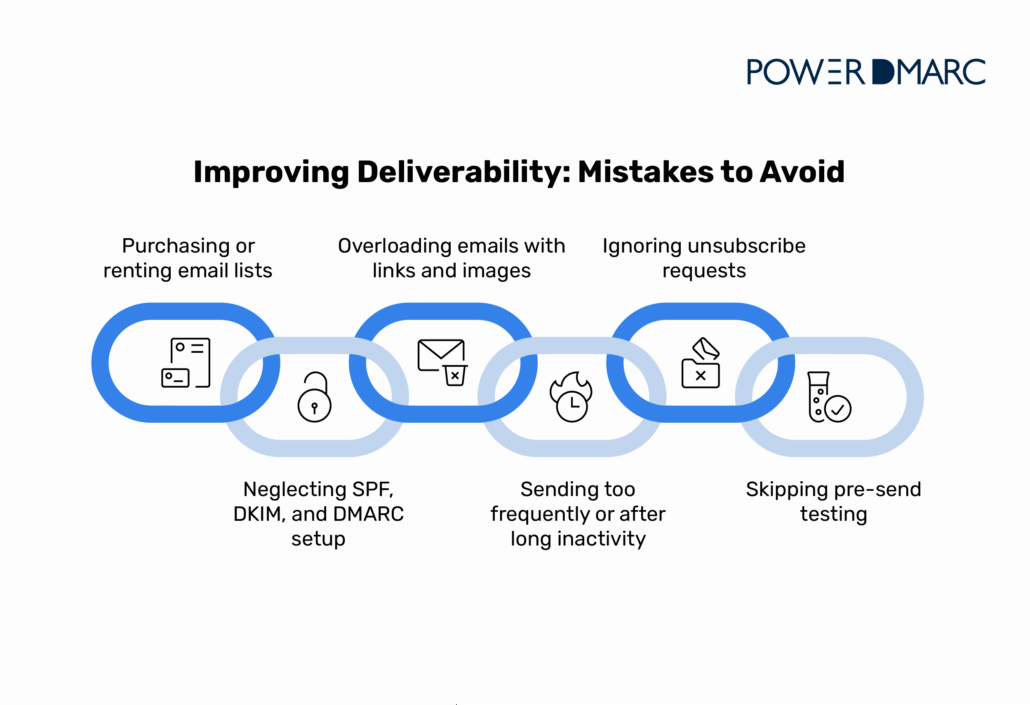

Even experienced email marketers make mistakes that damage deliverability. Avoid these common ones:
- Purchasing or renting email lists: Bought lists contain unverified addresses, spam traps, and people who never consented to receive your emails. This practice guarantees deliverability problems and potential legal violations.
- Neglecting SPF, DKIM, and DMARC setup: Skipping authentication leaves your domain vulnerable to spoofing and signals to inbox providers that you’re not following security best practices.
- Overloading emails with links and images: Excessive links, attachments, or image-heavy content triggers spam filters designed to catch phishing attempts and malicious emails.
- Sending too frequently or after long inactivity: Bombarding subscribers with daily emails or disappearing for months, then suddenly sending campaigns both hurt engagement and reputation.
- Ignoring unsubscribe requests: Continuing to send to people who’ve opted out generates spam complaints and violates regulations like CAN-SPAM and GDPR.
- Skipping pre-send testing: Launching campaigns without testing content, authentication, and deliverability leads to easily preventable failures.
The Bottom Line
Improving email deliverability requires consistent attention to technical authentication, list quality, content optimization, and performance monitoring. Implementing these seven steps creates a strong foundation that protects your sender reputation and maximizes inbox placement.
Start by authenticating your domain with SPF, DKIM, and DMARC. These protocols establish the basis for strong email security and reliable deliverability. Then focus on maintaining clean lists, creating relevant content, and monitoring your metrics to catch issues early.
PowerDMARC simplifies the technical complexity of email authentication with automated setup, real-time monitoring, and actionable reporting. Our platform helps organizations protect their domains, improve deliverability, and maintain compliance with global email standards.
Request a demo to see how PowerDMARC can protect your domain and ensure your emails reach their intended recipients!
Frequently Asked Questions (FAQs)
What is a good email deliverability rate?
A good deliverability rate is 95% or higher, meaning 95% of your emails successfully reach recipients’ inboxes rather than being blocked or filtered to spam folders.
How long does it take to improve email deliverability?
Initial improvements from authentication and list cleaning can appear within days, but rebuilding a damaged sender reputation typically takes 2-4 weeks of consistent best practices.
What’s the difference between email deliverability and delivery rate?
Delivery rate measures whether emails reached the recipient’s server, while deliverability measures whether they landed in the inbox versus the spam folder. You can have a high delivery rate but poor deliverability.


- Stop Spam Emails: Protect Your Sender Reputation - November 29, 2025
- ActiveCampaign DKIM, DMARC, and SPF Setup Guide - November 25, 2025
- Constant Contact DKIM and DMARC Setup Guide - November 25, 2025