



This guide will walk you through the process of configuring SPF, DKIM, and DMARC records for Notifii so that your outgoing emails are properly authenticated and protected from spoofing.
Email authentication ensures that emails sent from your domain are trustworthy and have not been altered during delivery. The three main standards you’ll configure are:
- SPF (Sender Policy Framework): Defines which mail servers are authorized to send emails on behalf of your domain.
- DKIM (DomainKeys Identified Mail): Uses cryptographic signatures to verify that your messages are legitimate and remain intact in transit.
- DMARC (Domain-based Message Authentication, Reporting & Conformance): Builds on SPF and DKIM, giving you control over how receiving servers handle unauthenticated messages while also providing visibility through reports.
Step 1: Configure the SPF Record for Notifii
1. Log in to your DNS hosting provider’s portal.
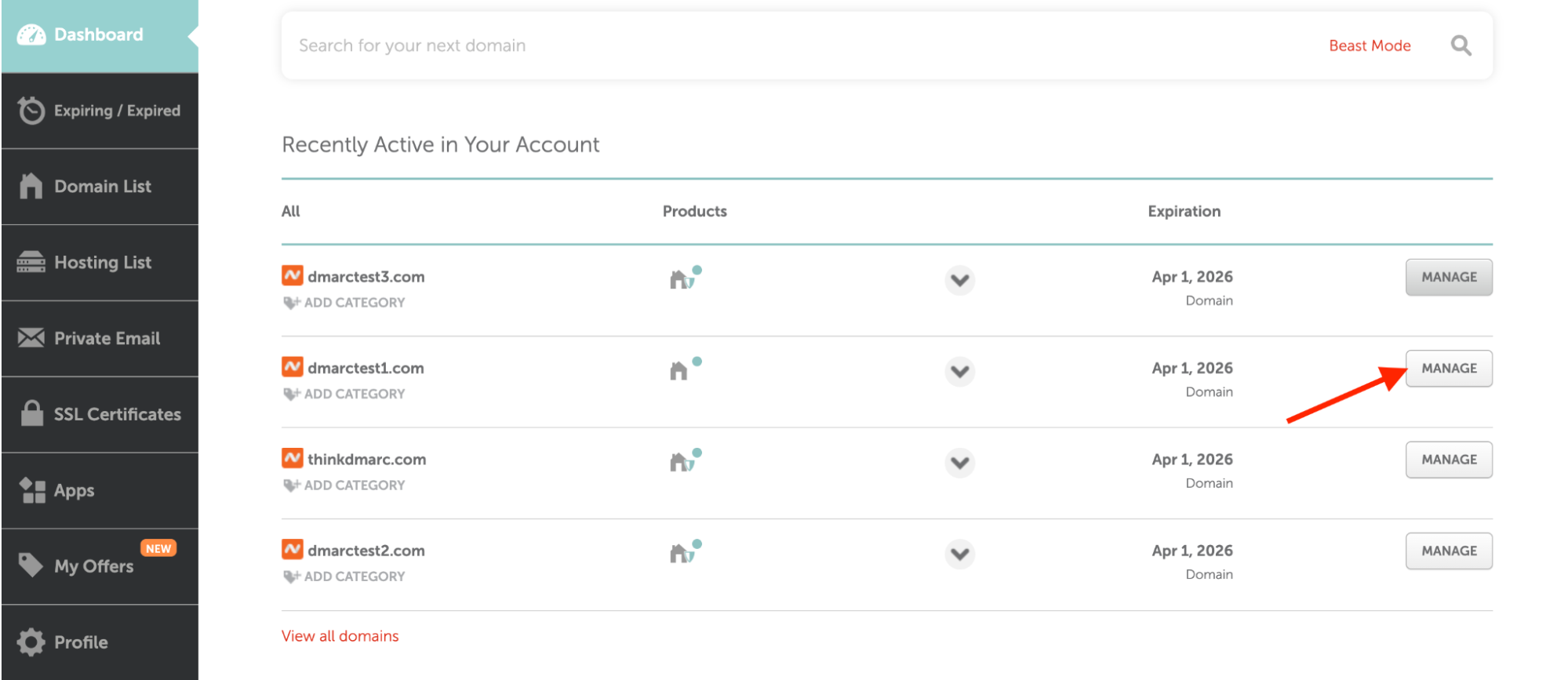

2. Navigate to the DNS Management or Zone Editor section.
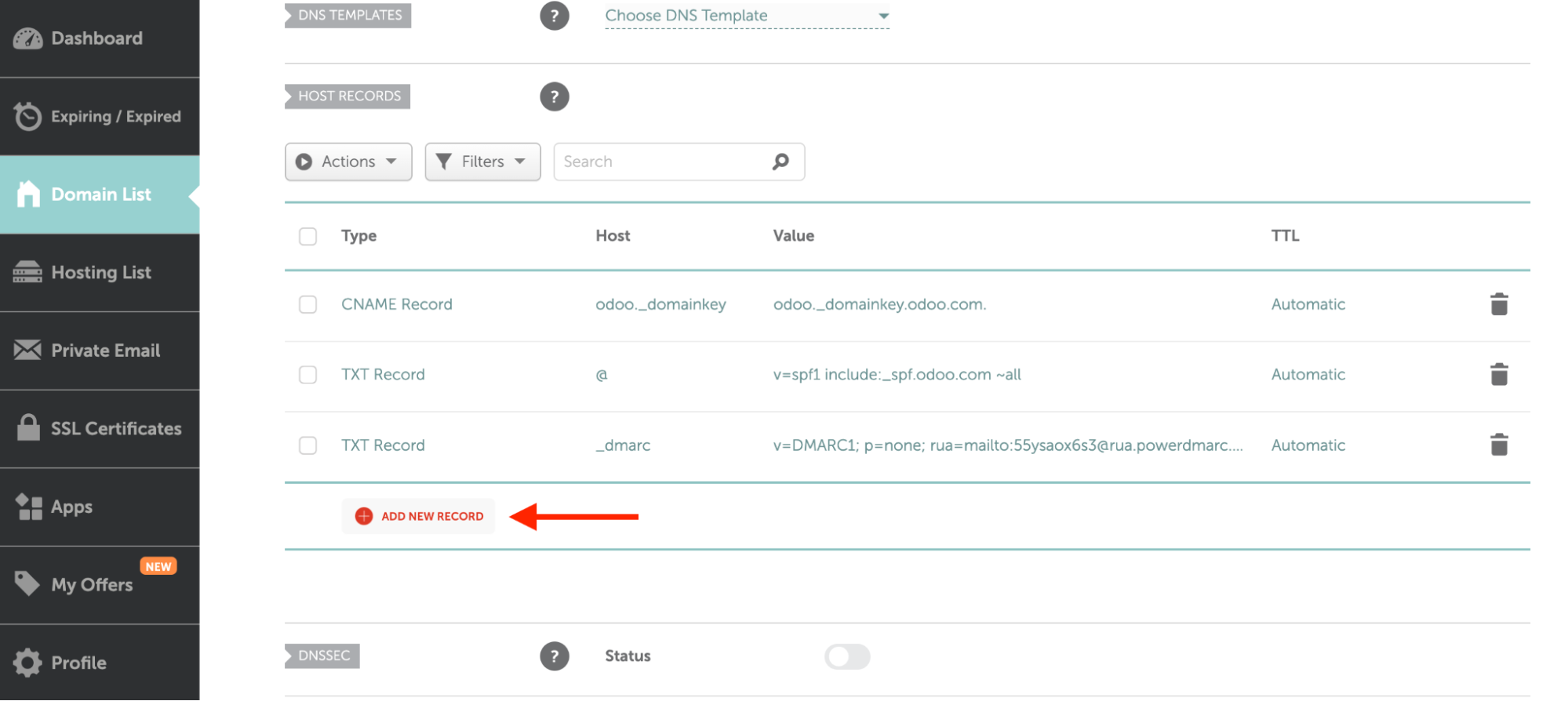

3. Create a new TXT record with the following values:
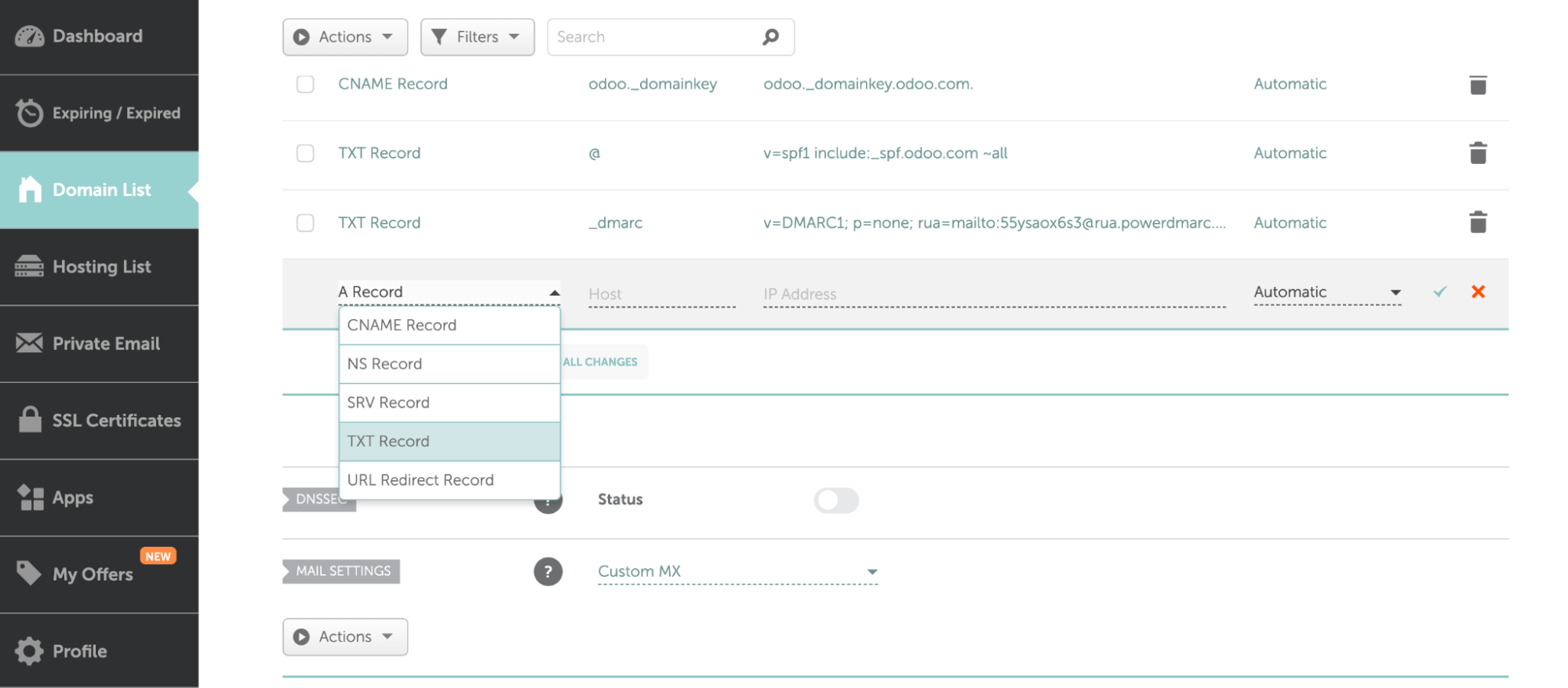

- Host/Name: @ (or leave blank if required by your provider)
Value: u538675.wl176.sendgrid.net
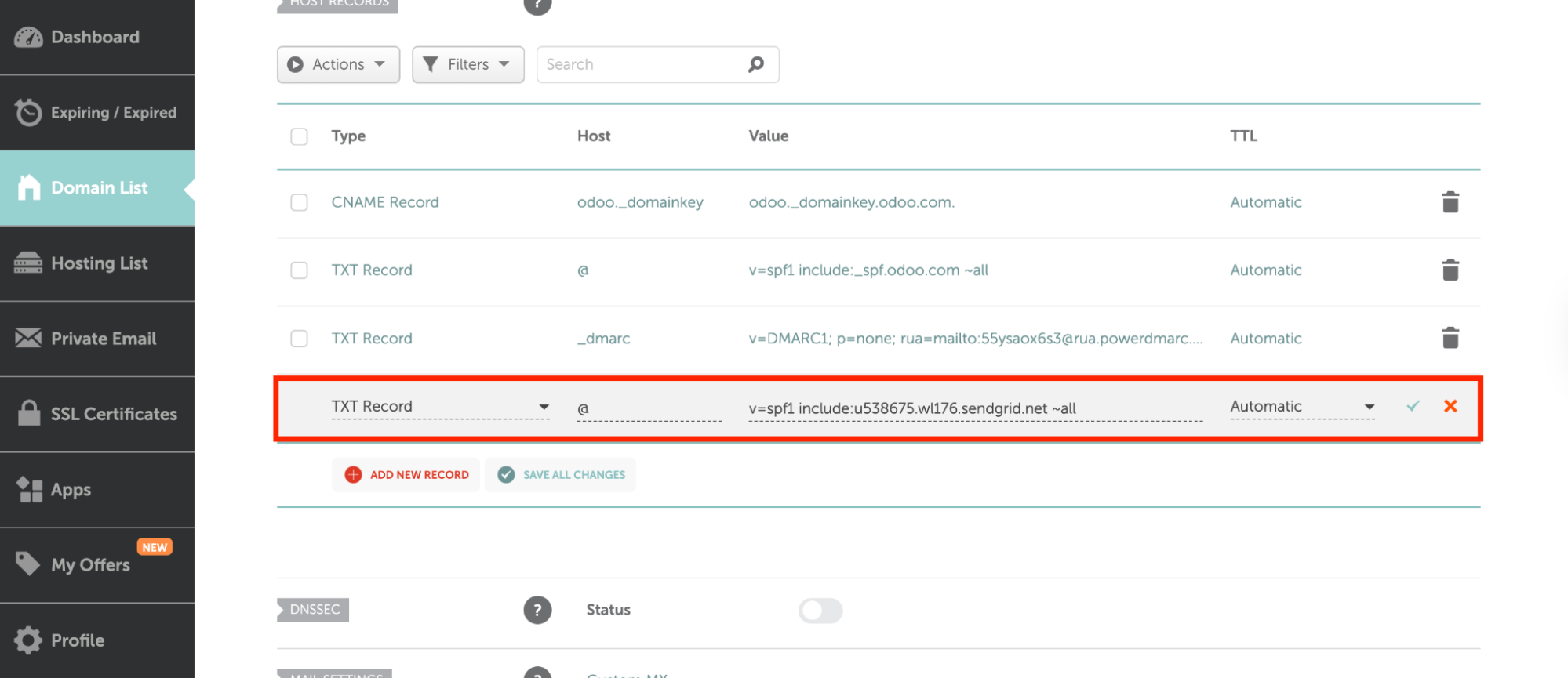

4. Save the record.
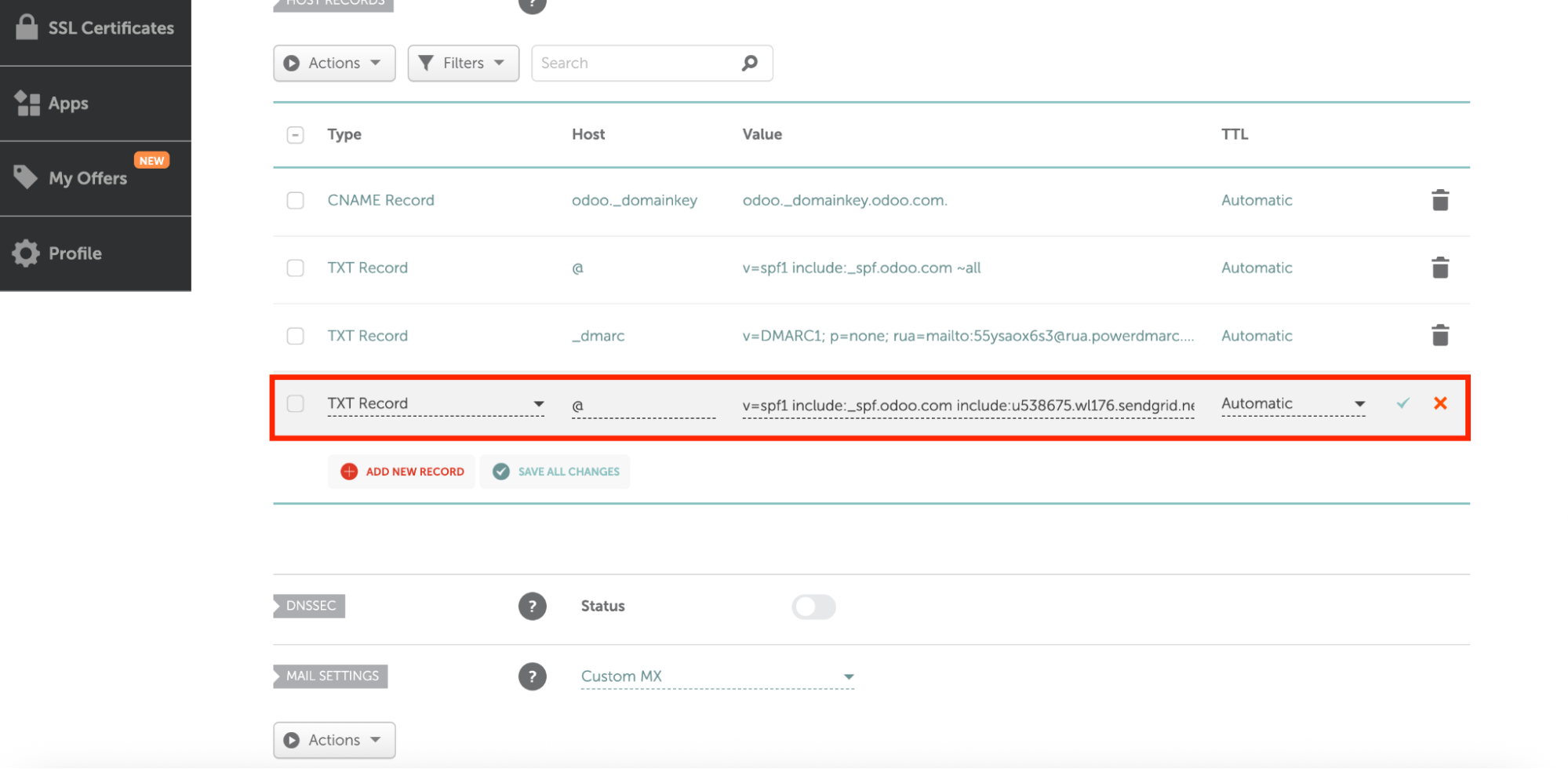
Important: If your domain already has an existing SPF record (e.g., from another email service), you must merge the entries into a single SPF record. Multiple SPF records for the same domain will cause failures.
- You can edit your existing SPF record to include the third-party domain or IP address as an authorized source, as shown below:

Step 2: Configure the DKIM Record for Notifii
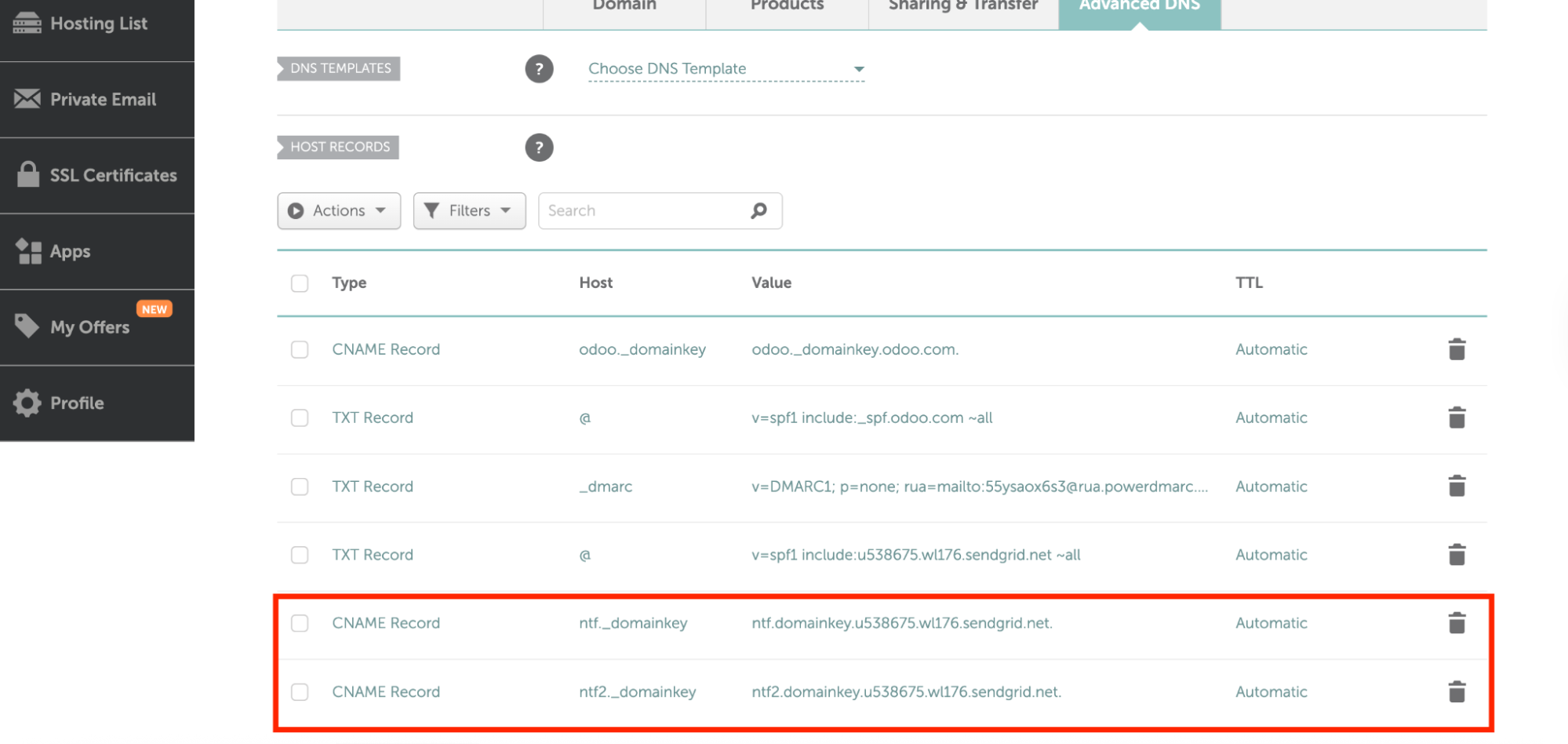

Notifii requires two DKIM CNAME records to be added to your domain:
| Type | Hostname | Points to (Value) |
|---|---|---|
| CNAME | ntf._domainkey | ntf.domainkey.u538675.wl176.sendgrid.net |
| CNAME | ntf2._domainkey | ntf2.domainkey.u538675.wl176.sendgrid.net |
Tips:
- Make sure you disable any proxying (e.g., in Cloudflare) when adding these records. Proxied CNAMEs may not validate correctly.
- Once added, allow some time for DNS to propagate before testing DKIM alignment.
Step 3: Configure the DMARC Record for Notifii
DMARC helps you decide what happens when an email from your domain fails authentication and provides reports for visibility.
1. Login to PowerDMARC
2. Navigate to Analysis Tools > PowerToolbox > Generator Tools > DMARC Generator
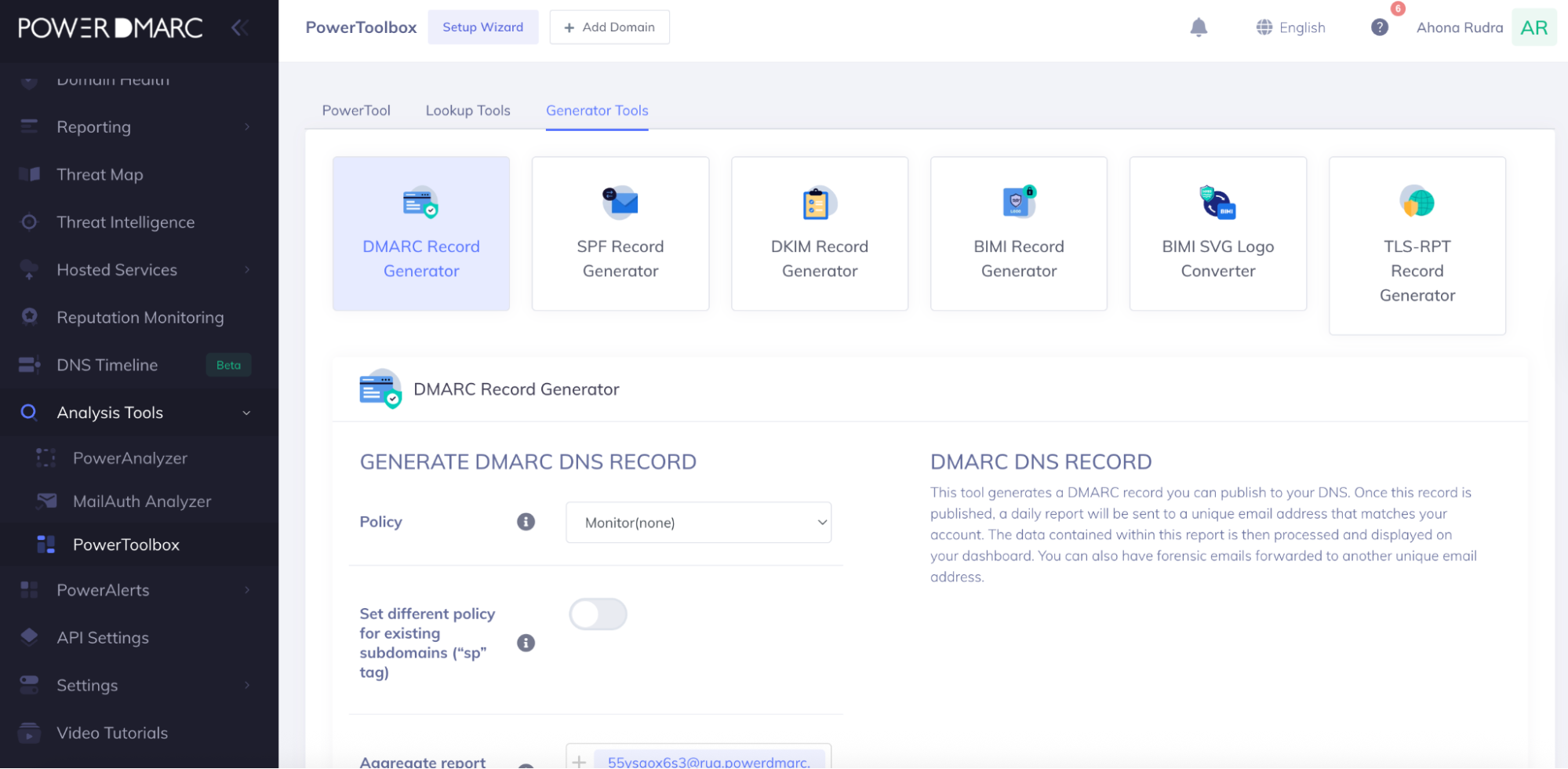
3. In your DNS provider’s console, add a new TXT record with these values:
- Host/Name: _dmarc
Value (initial recommended record):
v=DMARC1; p=none; rua=mailto:dmarc-reports@yourdomain.com; ruf=mailto:dmarc-failures@yourdomain.com; sp=none; aspf=r;
4. Save the record.
5. Start with p=none (monitoring mode). This allows you to collect reports without affecting email delivery.
6. Once you review the reports and confirm that legitimate services are aligned with SPF and DKIM, you can move to stricter policies like quarantine or reject to block spoofing attempts.
Step 4: Verify and Monitor Notifii SPF, DKIM and DMARC Records
- Wait up to 24–48 hours for DNS changes to propagate.
- Use a DMARC record checker or domain analyzer tool to confirm your SPF, DKIM, and DMARC records are correctly published.
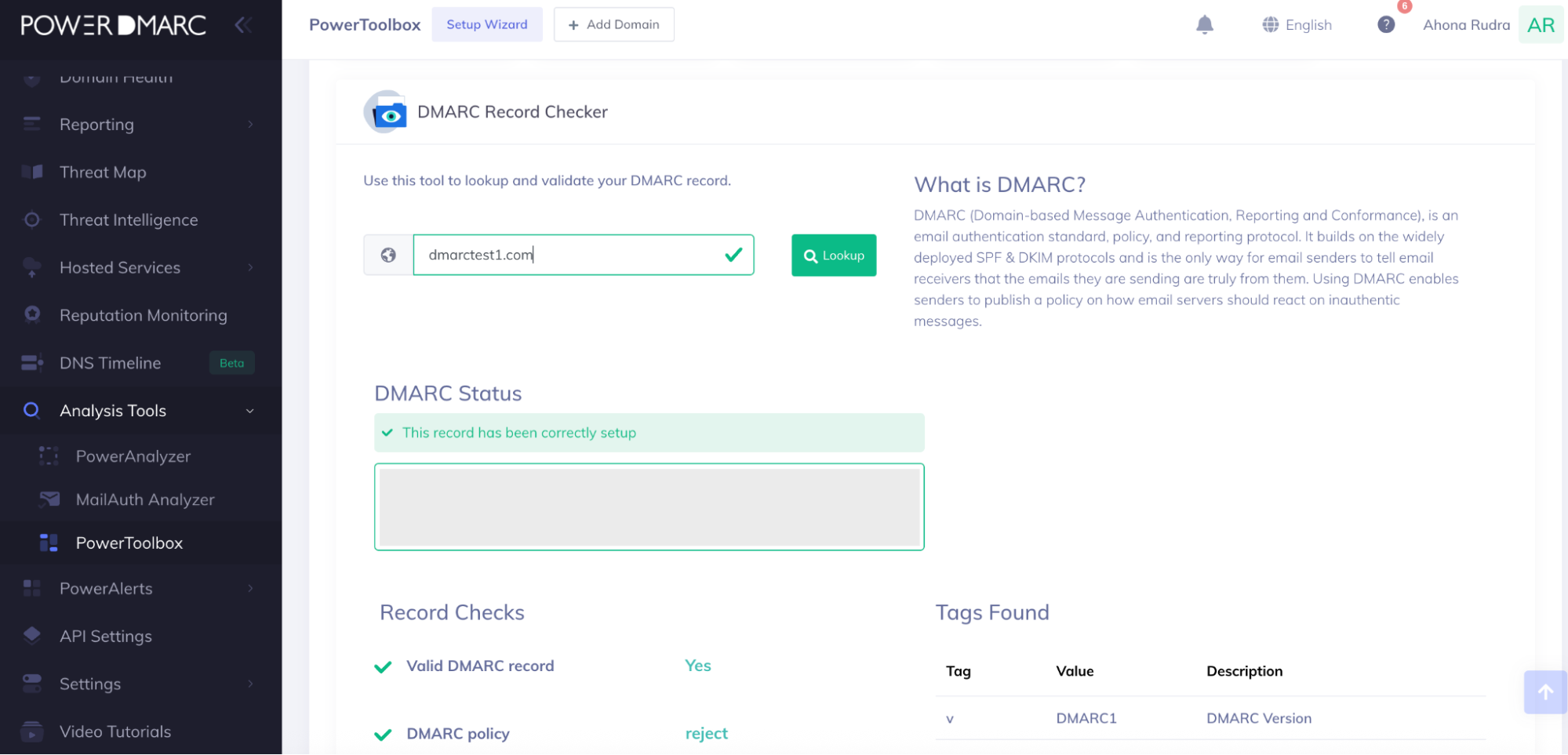

- Monitor the reports you receive regularly to ensure no legitimate email sources are blocked.
By properly configuring SPF, DKIM, and DMARC for Notifii, you can:
- Protect your domain against phishing and spoofing.
- Improve email deliverability and trust with recipients.
- Gain visibility into who is sending emails using your domain.
For automated monitoring, report visualization, and advanced DMARC policy management, you can simplify this process with PowerDMARC’s DMARC management platform.



- What Is AI Phishing? A Guide to Emerging Cyber Threats - December 11, 2025
- Stop Spam Emails: Protect Your Sender Reputation - November 29, 2025
- ActiveCampaign DKIM, DMARC, and SPF Setup Guide - November 25, 2025