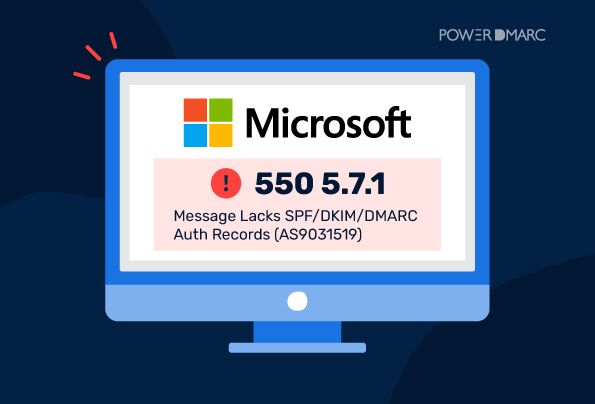
Microsoft 550 5.7.1: Message Lacks SPF/DKIM/DMARC Auth Records (AS9031519)

by
Last Updated: 9 min read

by
Last Updated: Since November 5, 2026, email operators and users have reported some messages to Microsoft mailboxes being rejected with an authentication-related error, including emails from low-volume senders. Some operators have linked these failures to missing DMARC records, but the reports do not establish a universal new Microsoft policy.
Note: The reported behavior concerns Microsoft’s consumer email services, and a blanket change for Microsoft 365 business recipients has not been established.
The specific rejection reads:
550 5.7.1 Message rejected: Message lacks SPF/DKIM/DMARC Auth Records (AS9031519)
If you have received this bounce, your first step should be to check whether the domain in your visible From address has a valid DMARC record.
This guide explains what the error means, how to investigate it, and what to do if your domain already has DMARC configured.

If you are receiving the AS9031519 rejection, follow these troubleshooting steps before making changes to your existing email authentication configuration.
Start by checking the domain in the visible From address of the rejected email. This is the domain recipients see when they receive your message.
Use the PowerDMARC DMARC Checker to look up its DMARC record and verify whether the record exists, has valid syntax, and specifies an effective policy.
If no valid DMARC record is found, you may need to publish one.
Remember that seeing a TXT record beginning with v=DMARC1 does not automatically mean your DMARC configuration is valid. The record must also have a valid policy and syntax.
If your domain does not have an existing DMARC policy, you can create one using the DMARC Record Generator.
For a monitoring-only starting point, use a record similar to this:
Host/Name: _dmarc
Type: TXT
Value: v=DMARC1; p=none; rua=mailto:[email protected]
Here is what each component means:
Important DNS considerations:
Once published, verify the public DNS result using a DMARC checker after DNS caches have refreshed. Then send a new test email to the affected Microsoft recipient. Previously rejected messages may need to be resent.
Note: Publishing DMARC can address the missing-record issue identified in some reported cases, but it does not guarantee delivery or resolve every possible cause of this rejection.
Publishing DMARC is only one part of email authentication. You must also ensure that your legitimate sending services authenticate messages correctly.
Microsoft’s published high-volume sender requirements specify that both SPF and DKIM must pass. For DMARC to pass, at least one of these mechanisms must also align with the domain in the visible From address.
Check the following:
Remember that publishing SPF and DKIM records alone does not prove that your messages pass authentication. You must examine the actual authentication results for messages sent through each service.
After publishing or validating your DMARC record, monitor aggregate reports to understand how different sending sources authenticate your emails.
These reports help you identify:
A DMARC monitoring platform such as PowerDMARC can consolidate these reports into a readable dashboard, making it easier to investigate authentication failures across multiple domains and sending services.
For senders experiencing the reported Microsoft rejection, publishing a DMARC record with p=none may help address the immediate issue. But treating that as the end of the process leaves important gaps in your domain security.
A p=none policy tells receiving mail servers to monitor DMARC results without taking enforcement action against messages that fail. It establishes a DMARC policy, but it does not prevent unauthenticated messages from reaching recipients. And unless the record includes a properly configured rua reporting address, you may have little visibility into how your domain is being used.
That visibility matters. Without reviewing DMARC reports, you cannot reliably identify every service sending on your behalf, spot authentication and alignment failures, or distinguish legitimate traffic from potential domain abuse.
Here’s what organizations risk overlooking when they stop at p=none:
The practical approach is to use p=none as a monitoring phase. Review the results, authorize legitimate sending sources, and resolve alignment issues, and then progress to p=quarantine or p=reject.
The goal should not be simply to publish a record that meets a reported delivery check. It should be to understand, manage, and protect every service sending email in your domain’s name.
A missing DMARC record is not the explanation for every reported AS9031519 rejection. Microsoft Q&A discussions include reports of intermittent failures, including cases where senders claim that SPF, DKIM, and DMARC are already configured correctly.
If your domain already has DMARC, investigate the complete rejection rather than publishing another record or changing your existing policy.
Check the following:
If the issue continues, contact your email service provider or Microsoft sender support. Include the complete diagnostic, the UTC timestamp, receiving host, and relevant sending logs. Redact sensitive information before sharing logs publicly.
Intermittent rejection reports suggest that the issue may involve more than missing DMARC records. Avoid assuming that every occurrence has the same underlying cause.
The November 2026 reports have drawn attention to a possible change in how Microsoft’s consumer email infrastructure evaluates authentication records.
To understand the distinction, it is important to separate the newly reported AS9031519 behavior from Microsoft’s previously published high-volume sender requirements.
On April 2, 2025, Microsoft announced stricter email authentication requirements for high-volume senders using its consumer email services.
The requirements took effect on May 5, 2025, and apply to domains sending more than 5,000 emails per day to Outlook.com, Hotmail, Live.com, and related consumer addresses. Microsoft’s support documentation describes the threshold as 5,000 or more messages using the same domain in the visible From address.
Under these published requirements, high-volume senders must:
Senders that fail to meet these requirements can receive a separate rejection:
550 5.7.515 Access denied, sending domain does not meet the required authentication level.
This is different from AS9031519. The former is associated with Microsoft’s published high-volume sender requirements, while the latter is the authentication-related rejection reported by operators in November 2026.
The newer reports describe rejections affecting some senders outside the previously published high-volume threshold.
Email delivery researchers documented the AS9031519 diagnostic in its own outbound mail observations on November 6, 2026. Its investigated cases included domains without DMARC records, even where SPF and DKIM were already configured. It was also reported that the rejection was intermittent, with some messages from the same domain being accepted.
Individual users and email administrators have also reported the issue in Microsoft Q&A discussions. These include cases involving Microsoft 365 senders emailing Outlook.com or Hotmail recipients, as well as reports of messages being rejected intermittently.
The available reports indicate that:
Microsoft has not publicly confirmed a universal expansion of its DMARC requirements to all senders. The November reports should therefore be treated as observed behavior, not as evidence of a newly announced policy applying to every low-volume sender.
For organizations, the practical response is to verify their authentication configuration, investigate the complete bounce, and monitor further developments rather than assume that every rejection has the same cause.

The SMTP status code 550 5.7.1 is a general rejection code indicating that a message has been refused because of an authorization or policy-related issue. It can have several causes, including incomplete SPF records, incorrect connector configurations, or receiving-server security policies.
In this particular case, the diagnostic message identifies an authentication-related rejection:
Message lacks SPF/DKIM/DMARC Auth Records (AS9031519)
The diagnostic is more specific than the general SMTP status code. It points to an authentication issue reported by Microsoft’s consumer mail infrastructure, although the available reports do not establish that a missing DMARC record explains every occurrence.
This distinction matters because troubleshooting the wrong authentication mechanism can waste time and leave the underlying delivery issue unresolved.
A p=none policy is an acceptable starting point when implementing DMARC for the first time. However, staying at a monitoring-only policy leaves your domain open to spoofing and impersonation threats. DMARC enforcement is the only way to prevent attackers from sending emails from your own domain.
Make sure you update your policy to p=quarantine and finally to p=reject once you have verified all your legitimate sending sources and addressed alignment issues.
Use a DMARC lookup tool to query your domain’s public DNS records.
Confirm that the record appears at the correct _dmarc hostname and that its syntax and policy are valid. Once DNS caches have refreshed, send a new test email to the affected Microsoft recipient to check whether delivery has improved.
Generally, no. DMARC is configured in the sending domain’s DNS, so the domain owner or email administrator must investigate and make the necessary changes.
If you are the recipient of a rejected message, contact the sender and share the complete bounce message. Their email administrator can then check the sending domain’s authentication records and investigate the rejection.
If the sender confirms that their authentication is correctly configured but the problem continues, the issue may require investigation by their email provider or Microsoft.
Managing email authentication across multiple domains and sending services requires continuous monitoring. PowerDMARC helps organizations check their authentication configurations, investigate failures, and monitor their progress toward DMARC enforcement.
With PowerDMARC, you can:
Start your 15-day free trial of PowerDMARC and gain better visibility into your email authentication, domain security, and deliverability.

