Hébergement MTA-STS
0+
Des organisations du monde entier0+
Les entreprises du classement Fortune 100 et les gouvernements0+
Pays desservis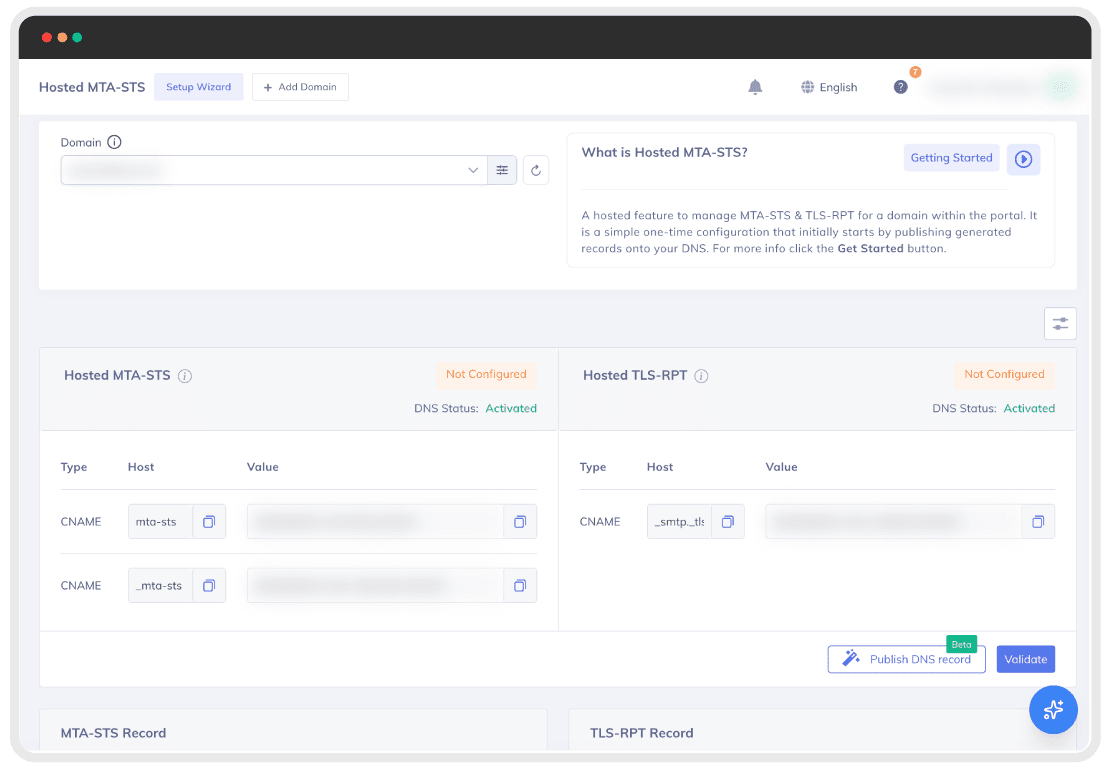



0+
Des organisations du monde entier0+
Les entreprises du classement Fortune 100 et les gouvernements0+
Pays desservis

La plupart des serveurs de messagerie utilisent le protocole TLS opportuniste, ce qui signifie que le chiffrement est privilégié, mais pas imposé.
Les pirates peuvent exploiter cette faille pour réduire le niveau de sécurité des connexions au texte clair, intercepter des messages ou altérer les communications en cours de transmission. Les domaines mal configurés sont particulièrement exposés à une surveillance persistante et à la divulgation de données.
Sans une politique politique MTA-STS, votre trafic de messagerie peut être exposé sans que vous ne vous en rendiez compte.
Le protocole MTA-STS (Mail Transfer Agent Strict Transport Security) est une norme (RFC 8461) qui permet aux propriétaires de domaines d'imposer le chiffrement TLS pour la transmission des e-mails.
Au lieu de recourir au protocole TLS opportuniste, vous publiez une politique MTA-STS qui ordonne aux serveurs expéditeurs de ne transmettre les messages que via des connexions sécurisées, ou de ne pas les transmettre du tout. Cela empêche les attaques par rétrogradation et garantit que les messages ne sont jamais transmis en clair.
La solution MTA-STS hébergée simplifie cette mise en œuvre en gérant vos politiques, vos certificats et vos mises à jour dans le cloud.

Connectez votre domaine à PowerDMARC en effectuant une seule mise à jour DNS. Aucun hébergement de règles n'est nécessaire.
Avant la mise en service, les serveurs vérifient votre politique pour s'assurer que le protocole TLS est obligatoire.
Si le protocole TLS ne peut pas être établi, le message est rejeté, ce qui empêche la transmission en clair.
sans nécessiter d'entretien régulier
avec une prise en charge TLS moderne intégrée d'origine
pour une visibilité totale sur les livraisons et le débogage
ou si vous avez besoin d'une gestion des certificats, nous nous occupons de tout pour vous
notamment DMARC, SPF, DKIM, MTA-STS, TLS-RPT et BIMI
Publiez votre enregistrement DNS MTA-STS en quelques minutes. Aucune configuration manuelle ni hébergement de fichiers n'est nécessaire.
Nous hébergeons votre fichier de stratégie MTA-STS et vos certificats TLS. Vous n'avez aucun serveur à gérer ni aucun renouvellement à effectuer.
Votre équipe n'a qu'à publier un enregistrement DNS. Nous nous occupons du reste.
Passez instantanément du mode « test » au mode « application » ou au mode « aucun » depuis le tableau de bord.
Entièrement conforme aux spécifications MTA-STS et aux exigences actuelles en matière de cryptage.
Découvrez quels serveurs d'envoi ont échoué lors de la transmission TLS et pourquoi, grâce aux rapports TLS-RPT intégrés.
MTA-STS impose le chiffrement, mais TLS-RPT vous montre ce qui se passe réellement.
Les rapports TLS-RPT de PowerDMARC vous permettent d'identifier les connexions TLS ayant échoué, les expéditeurs mal configurés et les problèmes de livraison en langage clair afin que vous puissiez résoudre les problèmes avant qu'ils n'affectent votre flux d'e-mails.
Nous assurons la protection de milliers de domaines à l'échelle mondiale pour le compte d'entreprises, de fournisseurs de services gérés (MSP) et d'organismes publics.
La principale caractéristique de PowerDMARC réside dans la visibilité totale qu'elle offre sur l'authentification des e-mails. La plateforme prend non seulement en charge SPF, DKIM et DMARC, mais intègre également d'autres protocoles clés tels que MTA-STS, TLS-RPT et BIMI, permettant ainsi une approche globale de la sécurité des e-mails à partir d'une seule et même interface.
Configuration en 5 minutes · Conforme à la norme RFC 8461 · Résiliation possible à tout moment


