Email Spoofing vs. Phishing: Key Differences and How to Stay Protected

by
Last Updated: 11 min read

by
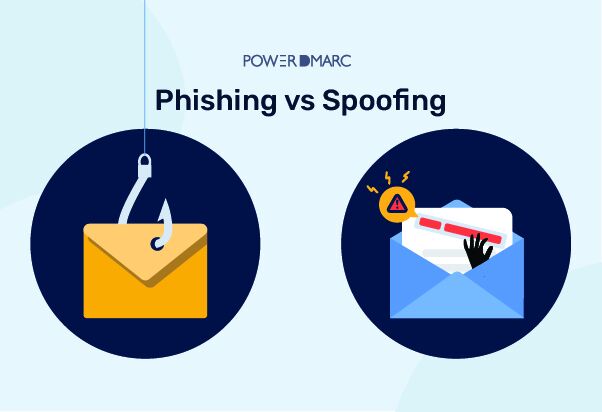
Last Updated: Phishing vs Spoofing has always been a concerning topic. Phishing and Spoofing are two different types of cybercrime that can look very similar to the untrained eye. However, there are differences between them and how you should handle them as a consumer.
When someone attempts to use the identity of a valid user, it is called spoofing. Phishing, on the other hand, is a situation when a criminal uses deceptive social engineering techniques to steal a user’s private and sensitive data.
Have you ever been confused about both? You might want to know what the differences are between Phishing and Spoofing. Let’s have a look at both!
Key Takeaways
Spoofing and phishing are two of the most common cybersecurity threats organizations face today, and they’re often confused with each other for good reason.
Attackers frequently use them together, with spoofing acting as the disguise and phishing as the trap. But despite how closely they overlap, they work in fundamentally different ways. Spoofing is about faking an identity. Phishing is about exploiting trust.
Understanding the difference between phishing and spoofing is essential because each requires a different type of defense.
This guide breaks down how both attacks work, where they overlap, how to spot them, and what your organization needs to do to defend against both.
Email spoofing is a technique where attackers forge sender information to make messages appear genuine, often manipulating the “From” field so the email looks like it came from a trusted source.
Email spoofing is possible because original email protocols lack built-in authentication. The Simple Mail Transfer Protocol (SMTP), which handles the sending of emails, does not verify the sender’s identity by default. This means anyone with basic technical knowledge can alter the email headers to display any sender name or address they choose.
When a spoofed email arrives in your inbox, it may appear to come from a colleague, a vendor, your bank, or a government agency. The sender’s email address, display name, and even reply-to address can all be forged to match a legitimate source.
Because most users rely on these trust signals to determine whether an email is authentic, spoofing can be highly effective even without any additional social engineering.
Suggested read: Understanding SMTP Error Codes
Spoofing extends well beyond email. Attackers use a range of spoofing techniques to impersonate trusted identities across different channels and systems:
In all cases, spoofing involves impersonating a trusted source to gain the victim’s trust. The spoofed identity may be used as a standalone attack or as the foundation for a phishing campaign.
Spoofing attacks resemble identity theft in their approach. Rather than directly asking a victim to do something, spoofing exploits technical trust signals that systems and users rely on to verify identity.
The attacker’s primary objective is to appear authentic, and that perceived legitimacy can be leveraged for a range of purposes:
Spoofing can exist independently of phishing, as it involves altering identity information without necessarily requiring user interaction. But when combined with phishing, it becomes significantly more dangerous.
Phishing is a type of attack that uses deception to induce the recipient to perform some action that the attacker wants. It relies heavily on psychological manipulation and social engineering tactics to get victims to hand over sensitive information, click malicious links, download malware, or authorize fraudulent transactions.
A phishing attack is a scam in which a threat actor sends generic messages in mass quantities, usually via email.
The messages are designed to blend into normal communication patterns, using familiar language and expected requests to reduce suspicion. Phishing attacks often create a sense of urgency to manipulate victims into taking immediate action before they have time to think critically about the request.
A typical phishing attack follows a predictable pattern. The attacker crafts a message that appears to come from a trusted source, such as a bank, email provider, employer, or well-known brand.
The message contains a call to action, asking the recipient to click a link, open an attachment, verify their account, or update their payment information. When the victim follows through, the attacker captures their login credentials, installs malware on their device, or gains access to sensitive data.
Phishing attacks can occur through various channels, including email, text messages, and social media. Regardless of the channel, the core tactic remains the same: exploiting personal trust and decision-making to manipulate victims into taking specific actions.
Phishing comes in several forms, each tailored to different targets and communication channels:
Each type varies in sophistication and targeting, but they all share the same goal: tricking the victim into an action that compromises their security.
Suggested read: Spear Phishing vs. Phishing | How Are They Different?
Phishing attacks are commonly used to steal sensitive data or provide an attacker with a foothold on a target system. The consequences for victims and organizations can be severe:
Your first 15 days are on us
Start Free TrialSpoofing and phishing are often mentioned together, and for good reason. Cybercriminals frequently combine them in a single attack. But understanding the difference between phishing and spoofing is critical because each serves a different purpose and requires a different defense strategy.
| Spoofing | Phishing | |
|---|---|---|
| Primary goal | Disguise identity to establish false trust | Manipulate victims into performing a specific action |
| How it works | Alters technical identifiers such as email headers, domain names, IP addresses, or caller ID | Uses psychological manipulation, urgency, and social engineering tactics to induce action |
| User interaction required | Not always. Spoofing can succeed before any interaction by establishing false legitimacy | Always. Phishing depends on user participation to move forward |
| Scope | Can target systems (IP spoofing, DNS spoofing) as well as people | Targets people directly through deception |
| Channels | Email, phone, websites, IP, DNS, GPS | Email, SMS, phone, social media, messaging apps |
| Relationship to the other | Often used as the setup for a phishing attack | Often relies on spoofing to appear credible |
| Standalone use | Yes. Spoofing can exist independently without phishing | Can exist without spoofing, but is more effective with it |
Spoofing attacks can disguise communication from unknown sources, making them difficult to detect, while phishing messages are designed to blend into normal communication patterns. However, both leave indicators that you can learn to recognize with the right awareness and tools.
Spoofing can be detected by inspecting the sender’s actual email address for discrepancies. Even well-crafted spoofing attempts often contain small details that don’t quite match. When evaluating a potentially spoofed communication, look for:
Phishing attacks often contain low-key indicators that users can identify once they know what to look for. The most common red flags include:
Both spoofing and phishing attacks aim to steal personal information or account credentials, but the consequences extend far beyond the initial compromise. For organizations, a successful attack can set off a chain of damage that affects finances, operations, customer relationships, and long-term brand value.
Spoofing and phishing attacks can result in financial loss and damage to organizations through multiple paths. Direct theft of funds through fraudulent wire transfers, credential theft that leads to unauthorized access to financial systems, and ransomware delivered through phishing links can all cause immediate financial impact.
Beyond the initial loss, organizations face costs related to incident response, legal exposure, regulatory fines, and system remediation.
Successful phishing attacks can lead to operational disruption for organizations as they work to contain the breach, assess what was compromised, and restore normal operations.
Email systems may be taken offline, credentials may need to be reset across the organization, and security teams may need to investigate the full scope of the attack. This downtime translates directly into lost productivity and revenue.
Organizations that fall victim to spoofing and phishing attacks can lose customer trust and suffer long-term brand damage.
When customers learn that their data was compromised because an attacker impersonated your brand or breached your systems through a phishing email, the reputational impact can persist long after the technical issues are resolved.
Rebuilding trust requires transparency, investment, and time, and some customers may never return.
Phishing attacks can provide attackers with a foothold on a target system for future attacks. An initial credential theft can escalate into lateral movement across the network, privilege escalation, data exfiltration, or deployment of persistent malware.
What begins as a single phishing email can become a full-scale breach if the initial compromise isn’t detected and contained quickly.
A multi-layered defense combining technical tools and personal vigilance is the most effective approach against spoofing and phishing. Neither technology alone nor awareness alone is sufficient. You need both working together.
Implementing email authentication standards such as SPF, DKIM, and DMARC helps prevent unauthorized use of domain identities. These protocols work together to verify that emails claiming to come from your domain are actually sent by authorized mail servers.
PowerDMARC’s platform simplifies the entire process by managing SPF, DKIM, DMARC, and BIMI from a single dashboard. You get real-time monitoring, automated alerts for authentication failures, and detailed reporting that helps you identify and stop spoofing attempts before they reach your recipients.
Multi-factor authentication adds a layer of security against stolen credentials by requiring a second form of verification beyond just a password.
Even if a phishing attack succeeds in capturing a user’s login credentials, MFA prevents the attacker from accessing the account without the additional authentication factor.
Multi-factor authentication limits the impact of phishing by preventing stolen credentials from being used alone. Deploy phishing-resistant MFA methods such as hardware security keys or authenticator apps across all critical systems, especially email, financial platforms, and administrative tools.
Conducting security awareness training with employees helps them identify and report suspected phishing attacks. Because phishing relies heavily on user interaction, well-trained employees are one of your strongest defenses.
Effective training programs should cover:
Regular security assessments, including phishing simulation exercises, help organizations spot vulnerabilities and assess their training investments. Simulations reveal which employees and departments are most susceptible and allow you to target additional training where it’s needed most.
Suggested read: Top Anti-Phishing Measures For Businesses
Monitoring unusual login activity, message patterns, or access attempts can indicate phishing or spoofing attempts in progress. Automated monitoring tools can flag behaviors such as:
Early detection gives your security team the opportunity to contain a compromise before it spreads.
PowerDMARC’s monitoring and reporting tools give you continuous visibility into how your domain is being used, who is sending on your behalf, and whether authentication is passing or failing, helping you catch spoofing and phishing activity in real time.
Don’t wait for a breach. Protect your business, your customers, and your brand with PowerDMARC. Our platform automates DMARC, SPF, and DKIM deployment so you can stay ahead of evolving phishing and spoofing threats.
As cyber threats continue to evolve, the distinction between phishing and spoofing becomes increasingly important for organizational security. While phishing focuses on deceiving users into revealing sensitive information, spoofing involves impersonating legitimate sources to gain trust and access.
Both attacks can cause severe harm to your organization’s security posture, financial stability, and reputation. The key to effective defense lies in implementing comprehensive email authentication protocols and maintaining vigilant security practices.
“PowerDMARC helped us reduce spoofing attacks by 95% in under a month.” – IT Manager, SaaS Company
Use PowerDMARC’s free DMARC analyzer to check your domain’s authentication status instantly. Or, get full protection with continuous monitoring, one-click enforcement, and actionable insights that keep your organization ahead of phishing and spoofing attacks.
The main types of phishing include spear phishing (targeted attacks), whaling (targeting executives), smishing (SMS phishing), vishing (voice phishing), and angler phishing (social media). Spoofing types include email spoofing, website spoofing, DNS spoofing, caller ID spoofing, and IP spoofing.
A common example is Business Email Compromise (BEC), where attackers spoof a CEO’s email address to request urgent wire transfers from finance teams. The email appears to come from the legitimate executive but originates from a spoofed domain or compromised account.
Phishing uses deceptive emails to steal information, spoofing impersonates legitimate sources, and pharming redirects users from legitimate websites to fraudulent ones through DNS manipulation. All three are social engineering attacks but use different technical methods.
Spoofing is not a type of phishing, but rather a technique often used in phishing attacks. Spoofing involves impersonating legitimate sources, while phishing is the broader attack method that may use spoofing along with other deceptive tactics to steal information.
PowerDMARC provides comprehensive email authentication through automated DMARC, SPF, and DKIM deployment. Our platform offers real-time threat detection, detailed analytics, and 24/7 expert support to protect your organization from phishing and spoofing attacks.
Don’t click any links or download attachments. Verify the sender through a separate communication channel. Report the email to your IT security team and consider using email authentication tools like PowerDMARC to prevent future attacks.


 Phishing vs Spam