The Dark Side of AI Productivity Tools in the Workplace (And What It Means for Your Inbox)

by
Last Updated:
8 min read

by
Last Updated:
Key Takeaways
AI productivity tools, chatbots, writing assistants, coding copilots, and meeting transcription software have become standard issue in modern workplaces. Companies roll them out expecting faster output and lower costs.
Research from Stanford, Harvard Business Review, MIT, and Cornell tells a different story. Burnout. Low-quality “workslop.” Skill erosion. Data leaks. Employee surveillance. These risks quietly cancel out the productivity gains AI is supposed to deliver, and one of the least discussed casualties is email security. This guide breaks down what’s really happening with AI productivity tools, and why your organization’s email authentication posture matters more than ever as a result.
AI productivity tools are applications that use AI to help people get through tasks faster. Microsoft Copilot, ChatGPT, Claude, and Google Gemini handle writing, coding, and analysis. AI note-takers transcribe and summarize meetings, often by connecting directly to a calendar or inbox. Other platforms, like Userpilot, apply AI to a narrower job, such as analyzing user behavior through session replay, rather than trying to be a general-purpose assistant.
The common thread across all of them is less manual work. Adoption has moved fast, from marketing and engineering teams to HR and finance, and increasingly, these tools sit close to or directly inside email, which is exactly where a lot of the risk in this article ends up landing.
AI speeds up individual tasks. But the strain it creates elsewhere often goes unmeasured. Three patterns show up repeatedly in recent workplace research.
Workload intensification. AI makes it easy to start more work, so the time saved gets absorbed by more tasks instead of rest. A UC Berkeley study tracking a 200-person tech firm over eight months found employees using AI took on more tasks, and a wider variety of them, while reporting the same hours worked, or more, not fewer.
Skill erosion and cognitive debt. Constant reliance on AI output wears down critical thinking. Teams start treating AI-generated work as “good enough” and stop scrutinizing it, a pattern Boston Consulting Group calls distributed deskilling, where judgment erodes across a whole team rather than one person.
Surveillance pressure. AI monitoring tools track keystrokes, screen activity, and meeting behavior, and Cornell University research found this lowers employees’ sense of autonomy and increases resistance behaviors like disengagement and intent to quit, more than traditional human oversight does.
Individual strain eventually becomes a measurable business risk, and email is often where it surfaces first.
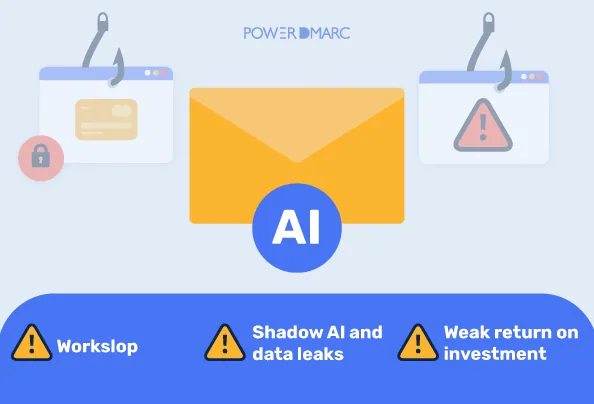
Workslop. Stanford and BetterUp researchers coined this term for AI-generated content that looks polished but lacks real substance. Roughly 40 percent of desk workers report receiving workslop in the past month, and fixing each instance takes close to two hours, adding up to millions of dollars in lost time at large companies.
Shadow AI and data leaks. When approved tools feel slow or limited, employees route sensitive information through unapproved AI tools instead, a practice known as shadow AI. This almost always involves email at some point: forwarding a document to a personal account to paste into a chatbot, connecting a third-party AI note-taker to a corporate inbox, or emailing an export to an outside tool with no visibility for IT. The 2026 Verizon Data Breach Investigations Report found that shadow AI is now the third most common insider risk showing up in data loss prevention systems, with source code the most frequently leaked data type. Every one of those unauthorized tools is effectively a new, unmonitored sender using your organization’s identity and data, which is precisely the kind of blind spot DMARC was built to expose.
Weak return on investment. MIT Media Lab research found that 95 percent of organizations see no measurable return from their AI tools, despite high adoption and significant spending. Workslop and shadow AI aren’t separate line items. They’re two of the main reasons the expected payoff never shows up on the balance sheet.
All of this traces back to one root cause: AI adoption has outpaced organizational readiness. Companies roll out tools faster than they build the policies, training, and review processes needed to use them safely. Microsoft’s 2026 Work Trend Index found that only 19 percent of organizations have reached a stage where AI is fully integrated into redesigned workflows. Most employees are still bolting AI onto existing processes without changing how work is reviewed, approved, or sent.
That gap explains why workslop spreads: few workplaces have clear rules for when AI output needs a human check. It also explains shadow AI: when the approved tool is clunky, people default to personal accounts and personal inboxes, often without realizing what they’ve just exposed. Tools move fast. Governance moves slowly. The distance between the two is where most of the damage happens, and on the email side specifically, that gap is also what attackers are counting on.
Every risk above eventually touches your inbox, and that’s worth taking seriously on its own.
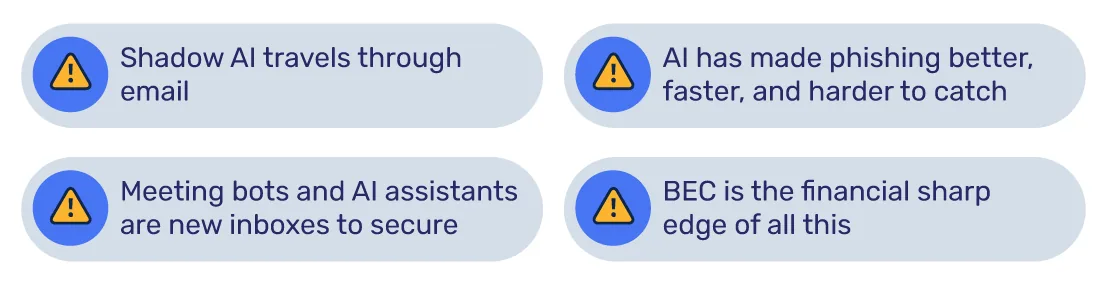
Shadow AI travels through email. An employee forwarding a client contract to a personal Gmail account so they can run it through an AI summarizer isn’t just a productivity workaround; it’s an unauthenticated, unmonitored sending path carrying company data outside your domain’s control. DMARC visibility into who’s sending mail on your behalf, and from where, is one of the few practical ways to catch this pattern before it becomes a breach.
AI has made phishing better, faster, and harder to catch. Attackers are using the same generative AI tools your teams use for productivity to write convincing, well-targeted phishing and business email compromise (BEC) attempts in minutes instead of hours. That erodes the “I’d know a fake email when I see one” instinct many employees still rely on, which is exactly why generative AI raises the stakes for email authentication, not just for content quality, but for verifying that a message claiming to be from your CFO or your vendor actually is.
Meeting bots and AI assistants are new inboxes to secure. AI note-takers and scheduling assistants often connect directly into corporate email and calendars, sometimes through third-party integrations IT never explicitly approved. Each one is a new potential entry point that needs to be accounted for in your authentication and monitoring setup, not just your AI usage policy.
BEC is the financial sharp edge of all this. Workslop and shadow AI mostly cost time and trust. A successful business email compromise attack costs money, sometimes a lot of it, and AI-written spoofed emails are getting harder for employees to flag on instinct alone. Technical controls that don’t depend on someone noticing a typo matter more now, not less.
The practical takeaway: AI governance and email authentication are the same conversation. A DMARC policy at enforcement (p=reject), backed by SPF and DKIM, won’t stop an employee from pasting a spreadsheet into ChatGPT, but it will stop an attacker from spoofing your domain to exploit the confusion, urgency, and lowered scrutiny that AI-driven workflows tend to create.
Many of the problems described above start with poorly fitted tools, not AI itself. Generic AI assistants create friction when forced into workflows they weren’t designed for. Some companies work with specialized development partners to build custom AI features inside their own products instead, since a tool scoped to a specific workflow tends to generate less workslop than a one-size-fits-all chatbot. For mobile-heavy businesses, this often means turning to a service like mobile app development to design AI features around how employees actually use the app, instead of retrofitting a generic assistant afterward.
The same logic holds in e-commerce. Teams running ecommerce conversion rate optimization programs get more value from AI tools built around one measurable goal, like checkout drop-off or product recommendations, than from broad productivity tools with no defined use case. Purpose-built integrations paired with human review consistently beat generic deployments, because they’re scoped to solve one problem instead of everything at once. The same logic applies to outbound campaigns; a dedicated email marketing company can pair the right ESP setup with human oversight so campaign copy gets reviewed before it reaches subscribers, closing off one more path for workslop to slip into customer facing communication. The same principle covers inbox placement itself, where teams facing reputation or authentication problems often turn to email deliverability consulting rather than trying to diagnose blacklist and spam filtering issues with a generic AI tool.
None of this requires banning AI tools. It requires closing the gap between adoption and governance, on both the productivity side and the email security side.
These steps turn AI from an unmanaged shortcut into a tool with real boundaries, and they close the same governance gap that’s letting shadow AI and AI-powered phishing slip through.
AI productivity tools offer real gains, but only with structure around them. Left unmanaged, they create burnout, workslop, skill erosion, and security risk, including risk that flows straight through your email systems. Managed well, with clear policies, training, human review, and solid email authentication, organizations keep the speed gains without absorbing the downsides. The difference between a productive AI rollout and a damaging one rarely comes down to the tool itself. It comes down to whether the processes and the inbox protections were built before the rollout scaled.
What are the biggest risks of using AI productivity tools at work?
The main risks include burnout from workload intensification, low-quality output known as workslop, skill erosion, and data leaks through unapproved tools known as shadow AI. Research from UC Berkeley, Stanford, and Verizon shows these risks often offset the time savings AI promises, and much of the shadow AI risk moves through email specifically.
What is AI workslop?
Workslop is AI-generated content that looks finished but lacks real substance, a term coined by Stanford and BetterUp researchers. About 40 percent of desk workers report receiving workslop in the past month, costing companies millions in lost review time annually.
Does AI actually increase productivity, or just create more work?
AI lets employees start more tasks, but the time saved often gets absorbed by extra work instead of reduced hours. A UC Berkeley study found employees using AI took on more tasks without working less overall, and MIT research found 95 percent of organizations see no measurable AI return.
What is shadow AI and why is it dangerous?
Shadow AI refers to employees using unapproved AI tools, often personal accounts, to handle work data, frequently by forwarding it through personal email first. The 2026 Verizon Data Breach Investigations Report found that shadow AI is the third most common insider risk in data loss prevention systems, with source code the top leaked data type.
How does AI monitoring affect employee trust?
AI surveillance tools that track keystrokes and activity tend to lower autonomy and morale. Cornell University research found that algorithmic monitoring increases resistance behaviors like complaining and intent to quit, more than human monitoring does.
Can AI productivity tools cause skill loss over time?
Yes. Constant reliance on AI output weakens critical thinking, a pattern researchers call cognitive debt. Boston Consulting Group calls the team-level version distributed deskilling, where judgment erodes as employees stop reviewing AI work closely.
How does AI make email security harder?
Generative AI lets attackers write convincing phishing and business email compromise attempts in minutes, and shadow AI habits often route sensitive data through unmonitored personal inboxes. Email authentication protocols like DMARC, SPF, and DKIM help by verifying that mail claiming to come from your domain actually did, regardless of how sophisticated the underlying phishing content has become.
How can companies use AI productivity tools safely?
Companies reduce risk by setting clear usage policies, training employees on verification, offering secure approved AI tools instead of banning AI outright, and enforcing email authentication to close the gap that attackers exploit. Tracking outcomes, not just adoption rates, helps measure whether AI use is actually improving results.

 DMARC MSP Case Study: How Adoptive Technologies Delivers Centralized Email Security...