Różnica między SPF -all a ~all

Ostatnia aktualizacja:
7 czas czytania: 7 minut


Ostatnia aktualizacja:
Zrozumienie mechanizmów SPF -all i ~all ma kluczowe znaczenie dla uwierzytelniania wiadomości e-mail. Dowiedz się, jak te końcówki rekordów SPF wpływają na dostarczanie wiadomości e-mail i którą z nich wybrać dla bezpieczeństwa swojej domeny.
Kluczowe wnioski
Zrozumienie SPF -all vs ~all jest ważną częścią uwierzytelniania poczty elektronicznej, ponieważ mechanizmy te sygnalizują, w jaki sposób serwery pocztowe powinny traktować wiadomości e-mail wysyłane z nieautoryzowanych źródeł. Oba mechanizmy wskazują na błąd SPF, ale komunikują różne poziomy intencji egzekwowania i mogą wpływać na sposób filtrowania lub odrzucania poczty w zależności od polityki odbiorcy.
Wszystkie Cały mechanizm pojawia się na końcu rekordu SPF i jest poprzedzony kwalifikatorem, takim jak – (hardfail) lub ~ (softfail). Wybór między nimi zależy od tego, jak kompletny jest Twój rekord SPF i czy aktywnie monitorujesz wyniki uwierzytelniania za pomocą DMARC.
W niniejszym artykule wyjaśniono, w jaki sposób SPF -all i ~all , jak są one obecnie interpretowane przez dostawców skrzynek pocztowych oraz kiedy należy ich używać, aby nie zagrażać dostarczaniu legalnych wiadomości e-mail.
| Szybka odpowiedź: Użyj ~all podczas weryfikacji nadawców i monitorowania za pomocą DMARC. Przejdź do -all tylko wtedy, gdy SPF jest kompletny, a raporty DMARC nie wykazują żadnych uzasadnionych błędów. |
Zanim zagłębimy się w różnice między SPF -all i ~all, należy zapoznać się z pełną składnią rekordu SPF i wszystkimi dostępnymi mechanizmami.
Rekord SPF ma określony format, który informuje serwery pocztowe odbierające wiadomości, które adresy IP i domeny są upoważnione do wysyłania wiadomości e-mail w imieniu Twojej domeny.
Podstawowa składnia rekordu SPF jest następująca: v=spf1 [mechanizmy] [modyfikatory] [all]
Wszystkie opcje mechanizmu SPF
Mechanizm „all” na końcu rekordu SPF określa, co się stanie, gdy wiadomość e-mail nie będzie pasować do żadnego z autoryzowanych nadawców. Oto wszystkie cztery opcje:
| Mechanizm | Nazwa | Wynik | Działanie |
|---|---|---|---|
| #NAZWA? | Pass | PASS | Akceptuj wszystkie wiadomości e-mail (niezalecane) |
| ?wszystkie | Neutralny | NEUTRALNY | Brak określonej polityki |
| ~wszystkie | Softfail | SOFTFAIL | Oznacz jako podejrzane, ale dostarcz |
| -all | Hardfail | NIEPOWODZENIE | Odrzucanie nieautoryzowanych wiadomości e-mail |
Oto praktyczne przykłady rekordów SPF wykorzystujących różne mechanizmy:
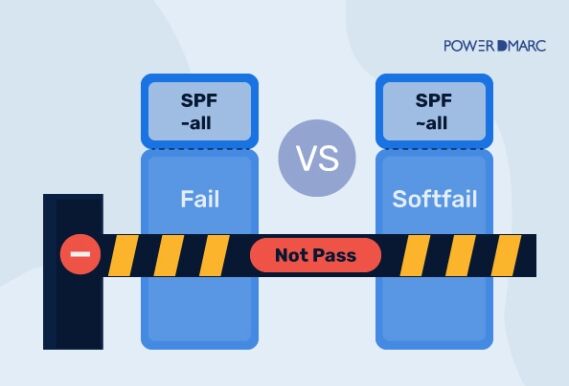
Zarówno mechanizm SPF -all, jak i SPF ~all oznaczają „NIE ZALICZONE” dla uwierzytelniania SPF. W ostatnim czasie dostawcy poczty elektronicznej wykorzystują wyniki SPF jako jeden z wielu czynników, przy czym polityka DMARC i sygnały dotyczące reputacji mają duży wpływ na ostateczne decyzje dotyczące dostarczania wiadomości.
Jednak kilka lat temu sytuacja wyglądała zupełnie inaczej.
Rekord SPF kończący się na „-all” (hardfail) nakazuje serwerom pocztowym odrzucanie wszystkich wiadomości e-mail, które nie pochodzą od autoryzowanych nadawców wymienionych w rekordzie SPF. Jest to najsurowsza polityka SPF, zapewniająca najsilniejszą ochronę przed spoofingiem wiadomości e-mail.
Mechanizm „~all” (softfail) informuje serwery odbiorcze, że wiadomości e-mail od nieautoryzowanych nadawców powinny być oznaczone jako podejrzane, ale nadal dostarczane do skrzynki odbiorczej adresata, często do folderu spam.
DMARC został stworzony długo po tym, jak SPF był już na rynku jako standardowy protokół uwierzytelniania poczty elektronicznej. W tym czasie mechanizm SPF -all softfail działał w następujący sposób:
Załóżmy, że Twój rekord SPF ma postać:
v=spf1 include:spf.domain.com ~all (gdzie ~all oznacza SPF Softfail)
Serwer poczty elektronicznej odbiorcy przeprowadziłby wyszukiwanie DNS, aby sprawdzić rekord SPF nadawcy w systemie DNS. Jeśli domena Return-path wiadomości e-mail nie była wymieniona w rekordzie nadawcy, serwer odbiorczy zwróciłby wynik SPF „NOT PASS”, ale dostarczyłby wiadomość e-mail do skrzynki odbiorczej odbiorcy.
Załóżmy teraz, że Twój rekord SPF ma postać:
v=spf1 include:spf.domain.com -all (gdzie -all oznacza błąd SPF)
Serwer poczty elektronicznej odbiorcy przeprowadziłby wyszukiwanie DNS, aby sprawdzić rekord SPF nadawcy w systemie DNS. Jeśli domena Return-path wiadomości e-mail nie byłaby wymieniona w rekordzie nadawcy, serwer odbiorczy zwróciłby wynik SPF „NOT PASS”, ale w tym przypadku wiadomość e-mail zostałaby odrzucona i nie trafiłaby do skrzynki odbiorczej odbiorcy.
Więcej informacji na temat historii Sender Policy Framework.
Zarządzanie rekordami SPF może stać się skomplikowane w miarę rozwoju organizacji i dodawania kolejnych usług wysyłania wiadomości e-mail. Limit 10 wyszukiwań DNS jest częstym wyzwaniem, które powoduje błędy uwierzytelniania SPF w przypadku jego przekroczenia. Zautomatyzowane rozwiązanie do zarządzania SPF firmy PowerDMARC rozwiązuje te problemy dzięki zaawansowanym technikom optymalizacji.
Technologia spłaszczania SPF firmy PowerDMARC automatycznie optymalizuje rekordy SPF, aby pozostawały w granicach limitów wyszukiwania DNS, jednocześnie zapewniając kompleksową ochronę uwierzytelniania wiadomości e-mail. Dzięki temu Twoje legalne wiadomości e-mail będą nadal prawidłowo uwierzytelniane, nawet po dodaniu nowych usług poczty elektronicznej i narzędzi marketingowych.

Nowoczesni dostawcy usług poczty elektronicznej, tacy jak Gmail, Outlook i Yahoo, obsługują mechanizmy SPF inaczej niż w erze przed DMARC. Większość głównych dostawców skupia się obecnie na zasadach DMARC, a nie na indywidualnych wynikach SPF przy podejmowaniu decyzji dotyczących dostarczania wiadomości.
Chociaż obecnie można swobodnie używać SPF -all lub ~all dla większości dostawców skrzynek pocztowych bez obawy o niepowodzenia w dostarczaniu legalnych wiadomości e-mail, może zaistnieć sytuacja, w której serwer odrzuci wiadomość e-mail w przypadku atrybutu -all. Aby zachować bezpieczeństwo, podczas tworzenia rekordu SPF można uniknąć stosowania mechanizmu SPF hard fail -all. Oto jak to zrobić:
Problemy z dostarczalnością wiadomości e-mail związane z mechanizmem SPF -all mogą występować w bardzo rzadkich przypadkach. Nie jest to problem, z którym można się często zetknąć. Aby mieć pewność, że nigdy nie napotkasz tego problemu, możesz podjąć następujące kroki:
Jeśli obecnie nie masz pewności, czy stosować SPF -all, możesz wykonać poniższe kroki:
Błędy SPF zazwyczaj dzielą się na cztery kategorie: brakujący rekord, zduplikowany rekord, nieprawidłowy rekord lub nieudane wyszukiwanie DNS. Skorzystaj z poniższej listy błędów, aby szybko znaleźć rozwiązanie.
Typowe błędy SPF obejmują:
Jeśli często widzisz komunikat „Nie znaleziono rekordu SPF”, oznacza to, że serwer odbiorczy zwrócił wynik null podczas wysyłania zapytania do DNS o rekord SPF TXT. Może to być spowodowane brakiem rekordu, sprawdzaniem nieprawidłowej domeny (Return-Path vs From) lub problemami z publikacją/propagacją DNS. (Link do artykułu „Nie znaleziono rekordu SPF” tutaj).
Jeśli masz skonfigurowany DMARC wraz z SPF, serwery odbiorcze będą również oceniać Twoją politykę DMARC, aby zdecydować, jak traktować wiadomości, które nie przeszły uwierzytelnienia. W zależności od Twojej polityki, wiadomości, które nie przeszły uwierzytelnienia, mogą zostać dostarczone, poddane kwarantannie lub odrzucone. Polityka odrzucania DMARC może znacznie ograniczyć ataki polegające na podszywaniu się, takie jak spoofing i phishing, nakazując odbiorcom blokowanie nieautoryzowanych wiadomości e-mail.
Monitorowanie SPF przez PowerDMARC pomaga wcześnie wykrywać te błędy, sygnalizując problemy z uwierzytelnianiem, ujawniając ich przyczyny i wskazując sposoby ich naprawienia, zanim wpłynie to na dostarczalność wiadomości.
Rekord SPF „v=spf1 -all” oznacza, że tylko adresy IP i domeny wyraźnie wymienione w rekordzie SPF są uprawnione do wysyłania wiadomości e-mail dla Twojej domeny. Wszelkie wiadomości e-mail z nieautoryzowanych źródeł będą odrzucane (hardfail). Jest to najsurowsza polityka SPF, zapewniająca maksymalną ochronę przed spoofingiem wiadomości e-mail.
SPF (Sender Policy Framework) weryfikuje, czy wiadomości e-mail pochodzą z autoryzowanych adresów IP, natomiast DKIM (DomainKeys Identified Mail) wykorzystuje podpisy kryptograficzne do weryfikacji integralności i autentyczności wiadomości e-mail. SPF sprawdza serwer wysyłający, natomiast DKIM sprawdza, czy treść wiadomości e-mail nie została zmieniona podczas przesyłania.
Nie, różni dostawcy poczty elektronicznej mogą różnie interpretować wyniki SPF. Chociaż większość współczesnych dostawców stosuje podobne standardy, niektórzy mogą być bardziej wyrozumiali w przypadku wyników softfail (~all), podczas gdy inni ściśle egzekwują zasady hardfail (-all). DMARC pomaga ujednolicić te zachowania u różnych dostawców.
Mechanizm „+all” w SPF oznacza „przekaż wszystko” – pozwala on dowolnemu adresowi IP wysyłać wiadomości e-mail w imieniu Twojej domeny. Jest to wysoce odradzane, ponieważ nie zapewnia żadnej ochrony przed fałszowaniem wiadomości e-mail i zasadniczo sprawia, że rekord SPF staje się nieskuteczny.
Zacznij od ~all (softfail), dopóki nie potwierdzisz wszystkich legalnych źródeł wysyłania lub nie zmienisz konfiguracji. Przejdź do -all (hardfail) dopiero po ukończeniu rejestru SPF i gdy raporty DMARC pokażą, że legalne wiadomości e-mail nie zawodzą podczas uwierzytelniania, dzięki czemu możesz wprowadzić bardziej rygorystyczną ochronę przy mniejszym ryzyku.
Typowe rozwiązania obejmują: dodanie brakujących adresów IP lub domen do rekordu SPF, ograniczenie liczby wyszukiwań DNS do poniżej limitu 10 wyszukiwań, usunięcie zduplikowanych rekordów SPF oraz zapewnienie prawidłowej składni rekordu SPF. Automatyczne zarządzanie SPF przez PowerDMARC może pomóc w automatycznym rozwiązaniu tych problemów.


 Cyberodporność i DMARC
