What Is Business Email Compromise (BEC)?

by
Last Updated: 9 min read

by
Last Updated: Key Takeaways
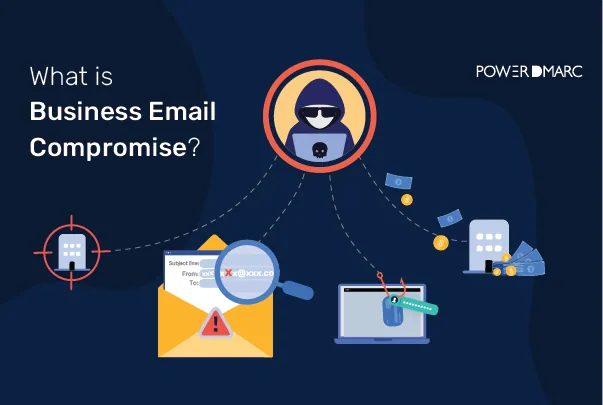
Business Email Compromise skips the hacking. An attacker poses as someone your employees already trust, a CEO, a vendor, a familiar partner, and asks for something routine-sounding: an urgent wire transfer, updated payment details, an invoice waiting for approval. No malware, no alarms, just a convincing email that looks like business as usual. The FBI’s Internet Crime Complaint Center ranks BEC among the most financially damaging cybercrimes out there, with the average cost of a breach now running into the millions. Here’s exactly how these attacks pull it off.
In a Business Email Compromise attack someone pretends to be a coworker or a trusted partner and convinces the victim to do something like give them access, send them money or share some information. They usually use phishing, fake emails from the boss, fake invoices and emails that look like they are from someone to get what they want. Even though people are more aware of these attacks now the bad guys are still finding ways to trick them.
For instance a group of hackers from Russia called Cosmic Lynx has done complicated Business Email Compromise attacks using phishing emails that are very well written, which makes them hard to spot. These cybercriminals also take advantage of people working from home by sending emails that look like they are from popular tools that people use to work together and they do this to steal passwords.
There have been reports from the FBI and other sources like Verizon that show Business Email Compromise attacks are happening more and more. The main reason these attacks are successful is because of engineering not because of technical tricks. The people who do these attacks usually follow a steps to make their scams work:
BEC emails usually do not have any malware in them. They do not have any attachments or obvious links. What they do is use authority, urgency and trust to get to you. That is why spam filters do not catch BEC emails very often. BEC emails are tricky. That is why it is really important to know who is sending the email to teach users what to look out for and to have a good system in place to check if the email is real or not. BEC emails are sneaky.
BEC can bypass conventional security filters because:
BEC attacks are not limited to large enterprises. Any organization that sends or receives payments, manages payroll, or maintains vendor relationships is a viable target. Nonprofits face similar exposure through spam donations and carding attacks that compromise donor trust and payment systems. The risk is higher where donations are collected through a patchwork of forms and inboxes rather than one system of record. Keeping gifts, receipts and refunds inside nonprofit financial software gives small teams an audit trail and clear approval steps, so a payment instruction that arrives by email alone never gets actioned on its own. Attackers focus on roles that have the authority to move money, approve requests, or access sensitive data:
| Target Role | Why Attackers Target Them | Typical BEC Request |
|---|---|---|
| CEO / CFO / Executives | High authority; their name is often used to impersonate requests | Urgent wire transfer, confidential acquisition approval |
| Finance / Accounts Payable | Direct access to payment systems and bank accounts | Invoice payment, vendor bank account change |
| HR / Payroll | Controls employee salary deposits and sensitive HR records | Direct deposit redirect, W-2 data request |
| Legal Teams | Handles confidential contracts and trust accounts | Escrow fund transfer, document disclosure |
| Vendors / Suppliers | Trusted relationships make impersonation convincing | Updated bank details, fraudulent invoice submission |
| IT / System Administrators | Privileged access to credentials and system configuration | Credential reset, access provisioning, DNS changes |
According to the FBI IC3 and CISA guidance, the most common and financially damaging BEC categories affecting businesses today are:
| Attack Type | Impersonated Party | Typical Request | Warning Sign |
|---|---|---|---|
| CEO / Executive Impersonation | CEO, CFO, or board member | Urgent, confidential wire transfer | Secrecy demand, bypasses normal approval process |
| Vendor Invoice Fraud | Trusted supplier or vendor | Payment to updated bank account | Last-minute banking detail change |
| Payroll Diversion | Employee or HR contact | Direct deposit account change | Sent just before payroll processing date |
| Account Compromise | Legitimate compromised mailbox | Fraudulent requests from a real inbox | Unusual requests at odd hours; new forwarding rules |
| Legal or Tax Impersonation | Attorney, IRS, or government agency | Immediate payment or W-2 / tax document disclosure | Threats of legal action, extreme urgency |
| Data Theft and Credential Harvesting | IT team, vendor, or executive | Employee records, login credentials, sensitive files | Requests for bulk data export outside normal workflow |
| Travel and Booking Scams | Airline, hotel, or travel agency | Payment or personal details to "fix" a canceled booking | Unsolicited cancellation notice, urgent payment link |
Two of these are easy to underestimate. Vendor Invoice Fraud often mirrors exactly how a real vendor sends an invoice, which is exactly why it slips past a quick review. Travel and Booking Scams lean on the same trust, an email referencing a travel brochure or itinerary change that looks routine enough for a frequent business traveler to click without thinking twice.
Here is how BEC attacks are technically executed:
A successful BEC attack gets expensive fast, direct losses, recovery costs, and the reputational hit that follows. The controls below cover three angles: technical authentication, process, and people.
| Control Category | Controls |
|---|---|
| Technical | DMARC enforcement, SPF, DKIM, MFA, MTA-STS, BIMI, anti-phishing gateway, external email labeling, automatic forwarding disabled |
| Process | Payment verification protocols, separation of duties, out-of-band confirmation (phone call), vendor change management, fraud reporting procedures |
| People | Security awareness training, simulated phishing tests, BEC red flag education, open reporting culture, role-specific training for finance and HR |
SPF, DKIM, and DMARC are the foundational controls here. SPF specifies which mail servers can send email for your domain. DKIM adds a digital signature so receivers can verify a message wasn’t tampered with. DMARC builds on both, letting domain owners set how receivers should handle emails that fail authentication, while giving visibility into who’s actually sending on the domain’s behalf.
Stopping domain spoofing-based BEC means running DMARC at enforcement, not just monitoring:
Implementing DMARC means publishing correctly formatted SPF, DKIM, and DMARC records in your DNS. It stops direct domain spoofing effectively, but it won’t catch compromised mailboxes or lookalike domains, so treat it as foundational, not complete.
The real work isn’t publishing a DMARC record once. It’s knowing which services send on your behalf, which messages are failing, and when it’s safe to move from p=none to enforcement. Regular monitoring via DMARC reports is what actually makes that call possible, and platforms like PowerDMARC turn the raw XML into something a team can act on.
Use anti-phishing software and email security gateways that scan incoming emails for malicious links, attachments, and signs of social engineering to block threats before they reach users.
Ensure that critical functions, especially financial transactions like wire transfers, are not performed by one person alone. Develop strict protocols for payment approvals, requiring multiple authorizations and secondary out-of-band confirmation (e.g., phone call or in-person verification) for requests, especially urgent ones or those involving changes to payment details.
Configure your email system to clearly label emails originating from outside your organization. This helps employees quickly identify potentially suspicious messages that try to impersonate internal senders.
Train employees to carefully examine the sender’s email address for subtle differences, typosquatting, or lookalike domains. Check if the “reply-to” address matches the “from” address. Be wary of emails demanding urgency or secrecy.
The best defense against BEC attacks is employee education and awareness. Employees need to understand the threat of BEC, how it works, common tactics (urgency, authority impersonation), and how they can be targeted. Implement simulated phishing tests to gauge awareness and encourage employees to report suspicious emails immediately without fear of reprisal.
Implement MFA for all email accounts and other critical systems. MFA adds an extra layer of security beyond a password, significantly reducing the risk of account compromise even if credentials are stolen.
Disable automatic forwarding of emails to external addresses. Attackers can abuse this feature to silently monitor communications or redirect sensitive information after compromising an account.
Consider enhancing email security further with:
If you suspect or fall victim to a BEC scam, report it immediately to the relevant authorities (like the FBI’s IC3 in the US) and your financial institutions. Reporting helps law enforcement track these crimes and potentially recover funds.
PowerDMARC cuts BEC risk by showing security teams exactly who’s sending email on behalf of their domain. No more digging through raw XML, a centralized dashboard surfaces legitimate senders, authentication failures, and unauthorized sources in one place.
The platform brings DMARC, SPF, DKIM, BIMI, MTA-STS, and TLS-RPT management into one place. This allows organizations to move safely toward DMARC enforcement, avoid SPF lookup limits with automated SPF management, strengthen transport-layer security with hosted MTA-STS and TLS-RPT, and improve brand trust with BIMI and VMC assistance.
For enterprises and MSPs managing multiple domains, PowerDMARC also supports domain grouping, role-based access, centralized monitoring, and responsive global support, helping teams maintain control without adding complexity.
| BEC Risk | Why It Matters | How PowerDMARC Helps |
|---|---|---|
| Domain spoofing | Attackers send emails that appear to come from your domain. | DMARC monitoring and enforcement help identify and block unauthorized senders. |
| Lack of sender visibility | IT teams may not know every service sending email on behalf of the domain. | Centralized reports identify legitimate, failing, and suspicious sources. |
| SPF lookup failures | Broken SPF records can disrupt delivery or weaken authentication. | PowerDMARC's automated SPF management helps avoid the SPF 10-DNS-lookup limit. |
| Transport-layer weaknesses | Email can be exposed to downgrade or TLS delivery issues. | Hosted MTA-STS and TLS-RPT help strengthen secure mail transport and reporting. |
| Brand impersonation | Recipients may struggle to identify legitimate brand email. | BIMI and VMC assistance improve brand recognition in supported inboxes. |
| Multi-domain complexity | Enterprises and MSPs need scalable access and reporting across domains. | Domain grouping, role-based access, and MSP dashboards simplify management. |
Start a 15-day free trial to close authentication gaps and stop domain spoofing before it costs you.
BEC stands for Business Email Compromise, a targeted email fraud attack where criminals impersonate trusted executives, vendors, or business partners to manipulate employees into transferring money, sharing credentials, or handing over sensitive data.
A common one: an attacker spoofs the CEO’s email and sends an urgent message to the CFO requesting a confidential wire transfer before end of business. The message arrives while the real CEO is traveling, adds time pressure, and asks the CFO to skip the normal approval process. Without a separate verification step, the CFO may end up sending the money straight to the attacker.
Phishing usually targets a broad audience with malicious links or attachments meant to steal credentials or install malware. BEC is more targeted. It focuses on specific people within an organization, leans on social engineering and impersonation instead of malware, and aims to manipulate real business workflows like payments, payroll, or data requests. Since BEC often carries no malicious payload, traditional filters tend to miss it.
They typically contain no malware, no malicious links, and no unusual attachments. The language mirrors normal business communication, references real people and projects, and often comes from domains or display names that closely resemble legitimate senders. When the attacker is using a genuinely compromised account, the message passes every technical authentication check.
No. DMARC stops direct domain spoofing, one of the most common BEC vectors, but BEC can also involve compromised accounts, lookalike domains, and display-name impersonation, none of which DMARC alone can catch. Pair it with MFA, employee training, payment verification, and ongoing threat monitoring for real coverage.
A p=reject policy gives the strongest protection against unauthorized senders spoofing your domain directly. Organizations should work up to it gradually: start with p=none to monitor traffic, move to p=quarantine, then to p=reject, once every legitimate sending source has been identified and authenticated.
Don’t reply or act on it. Verify the request through a separate, trusted channel, like a known phone number. Report the email to your IT or security team right away and preserve the full message and headers as evidence. If a payment already went out, contact your bank immediately to try to recall it.


 DKIM2 Explained: What It Changes and Where the Standard Stands